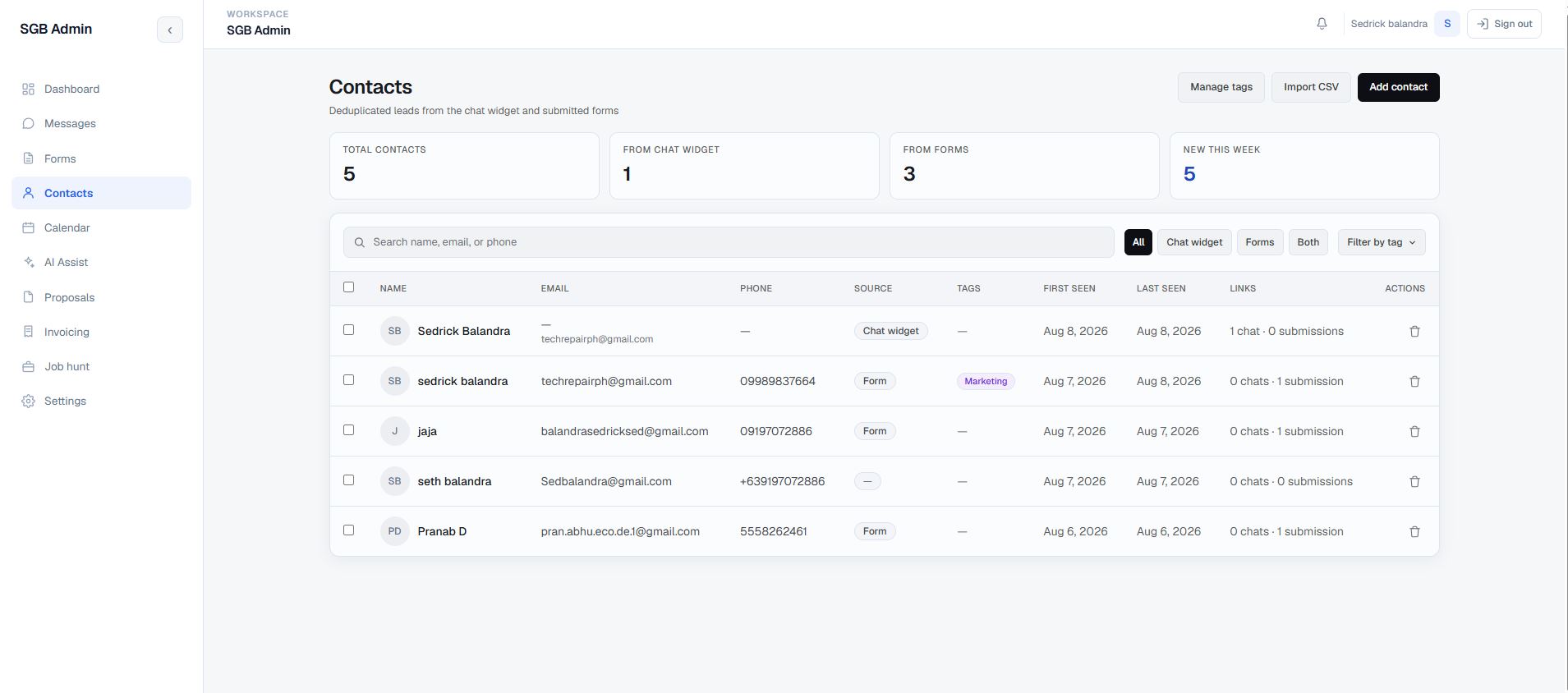
Choose the right approach
Configure, extend, or build.
GoHighLevel may suit a business that needs established CRM, funnel, scheduling, and automation features. A custom CRM can fit when the data model, interface, permissions, or delivery workflow needs more control. Integrations can connect either approach to your existing tools.
Read my guide to choosing GoHighLevel or a custom CRM →
GoHighLevel setup and implementation
For a GoHighLevel project, I can configure contact fields and tags, pipelines, forms and funnels, appointment calendars, and follow-up workflows. The scope can also include a reusable snapshot and connections to other tools where supported. We agree on lead sources, team responsibilities, and the journeys to test before making account changes.
- Understand the lifecycleMap lead sources, pipeline stages, follow-up rules, responsibilities, and current contact data. Agree on the workflow before choosing the platform.
- Implement in stagesConfigure fields, pipelines, permissions, and automation, or develop the custom database and interface. Review the journey with representative records.
- Validate the handoffsCheck enquiry capture, record matching, scheduling, message handling, and access. Plan data migration, team guidance, and deployment around agreed requirements.
My custom development stack includes Next.js, React, TypeScript, Supabase, and PostgreSQL. I also work with n8n, Make, and Zapier. AI-assisted development supports prototyping and coding; architecture, code review, testing, and delivery remain my responsibility.