Kane Sync Hub

An internal construction operations console that pulls project, customer, contract, invoice, task, change-order, document, message, and vendor-bill data from Kane Remodeling's JobTread account, combines it with QuickBooks Online accounting data, and turns it into a controlled workspace for project teams, finance, and admins.

JobTread IntegrationQuickBooks Online IntegrationFinancial ReportingChange-Order Risk TrackingRole-Based Access ControlSync Observability
Kane RemodelingClient
Construction / RemodelingIndustry
less than 2 monthsDuration
React · TanStack Start · SupabasePlatform
Overview

One operating layer across JobTread and QuickBooks — not a replacement for either.

Kane Sync Hub is a full-stack internal operations platform built for Kane Remodeling. JobTread stays the operational source for projects, customers, contracts, change orders, invoices, tasks, documents, and messages. QuickBooks Online stays the accounting source for actual expenses, vendor bills, accounts payable, and financial statements. Kane Sync Hub normalizes both sources, applies construction-specific business rules, and presents the result through role-aware dashboards, reports, and workflows.

The Problem

Project managers couldn't see financial and execution risk in the same place. Finance had to manually compare contracts, invoices, payments, budgets, and vendor costs against accounting reports. Approved change orders could sit unbilled or unpaid with no exception signal, and when a sync failed, nobody could tell if the data on screen was current, partial, or stale.

The Approach

Built a controlled operational layer on top of the company's existing JobTread and QuickBooks workflows instead of replacing them — Supabase Edge Functions sync and normalize both sources by external ID, apply rule-based health scoring and risk flags, map QuickBooks accounts and projects to JobTread records, and enforce role-based access down to the page, function, and data level.

The Result

A practical command center for project health, cash collection, change-order control, scheduling, documents, communication, and accounting visibility — with every data domain reporting its own sync state so a stale report is never mistaken for a current one.

Integration Architecture

Two systems of record, one operational layer.

The application keeps JobTread and QuickBooks Online in place as the systems teams already trust, and layers a synchronized, role-aware workspace on top.

🏗️ JobTread + 💳 QuickBooks Online
🔄 Supabase Edge Functions
📊 Dashboards, Tasks, Messaging & Reports

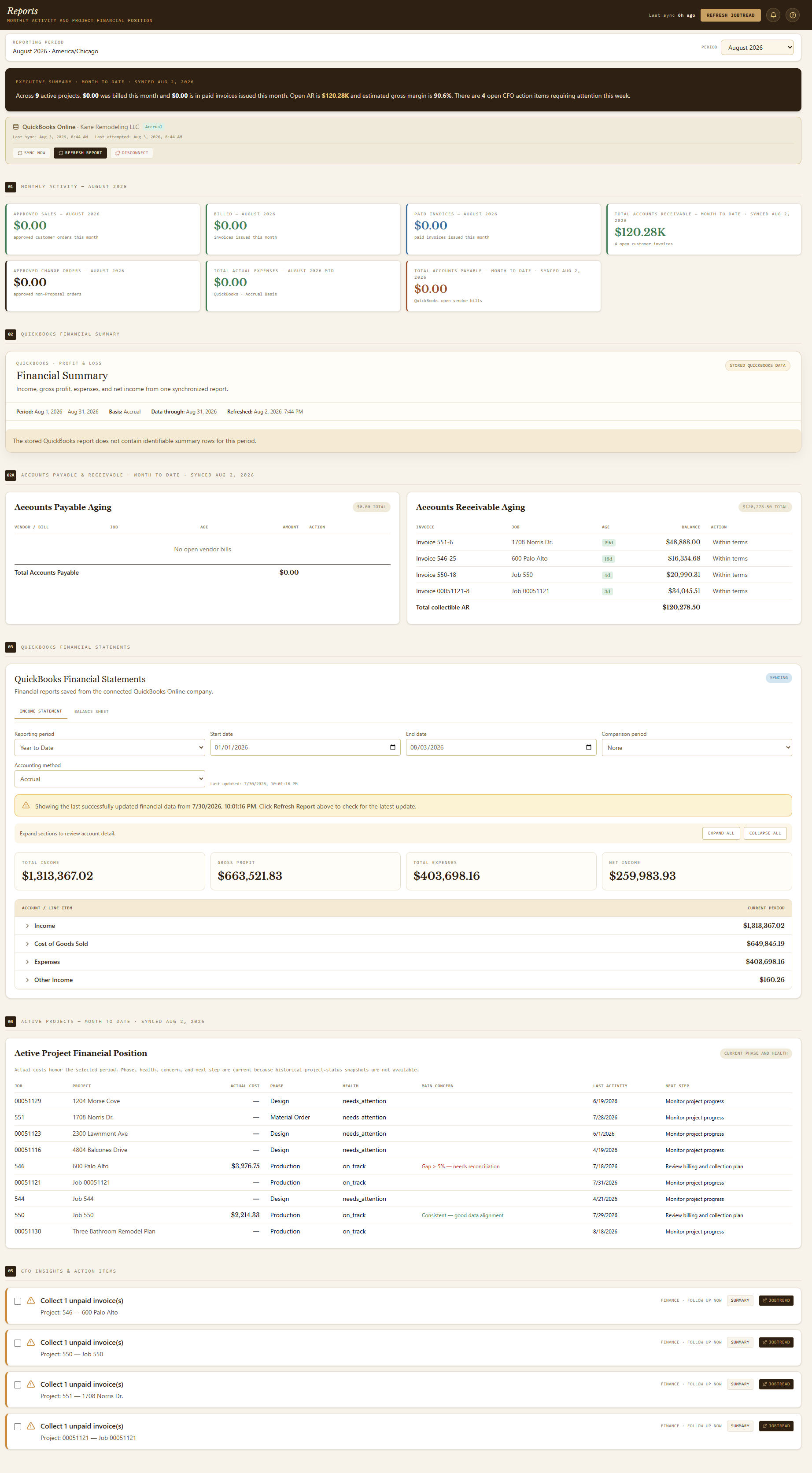
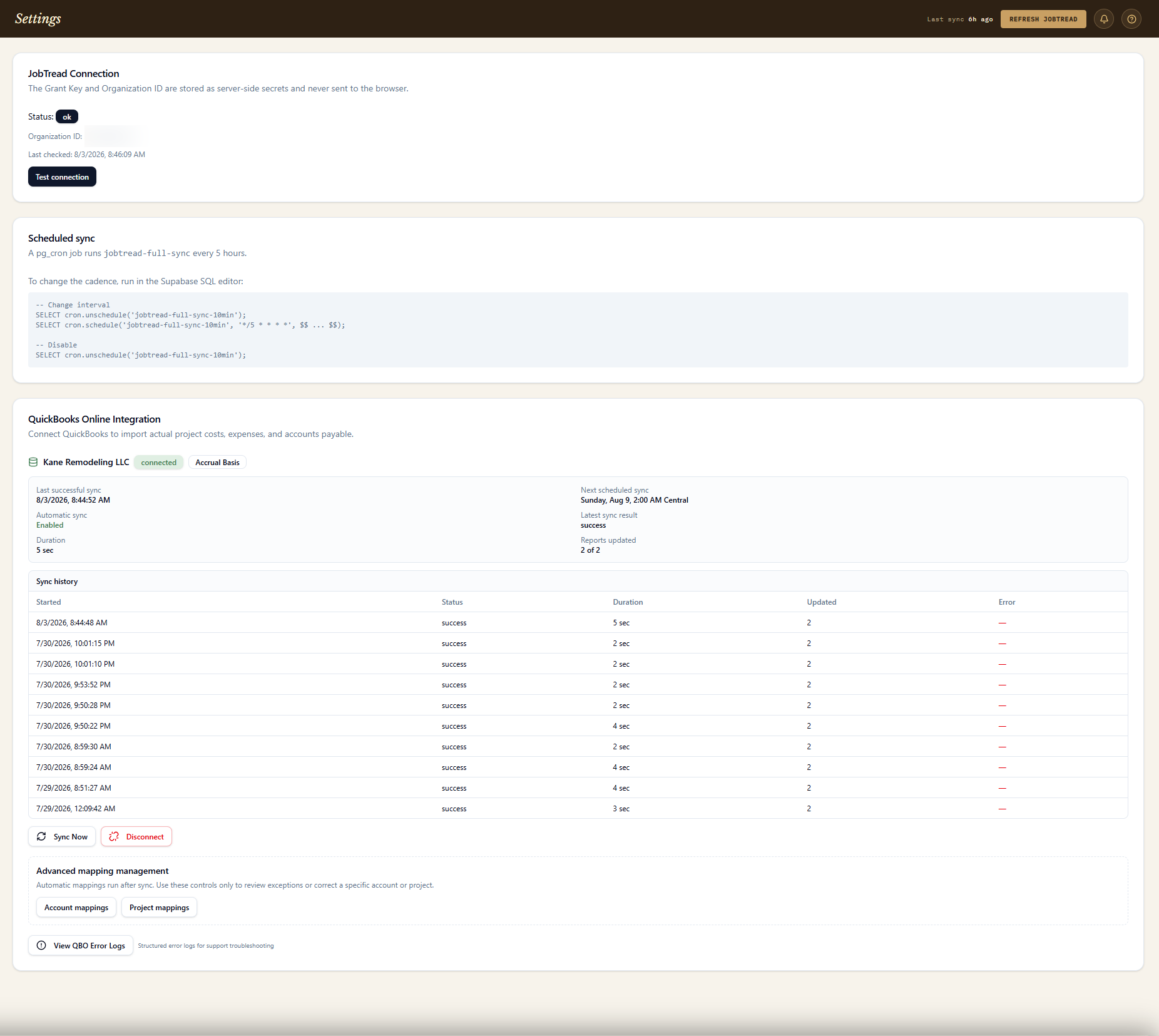
Financial reporting is built around clear source-of-truth boundaries: JobTread remains the source for sales, approved contracts, change orders, customer invoices, and project status, while QuickBooks Online supplies actual project costs, operating expenses, vendor bills, and accounts payable. The system maps QuickBooks accounts and projects to their JobTread counterparts, then calculates budget variance, actual cost, margin, and reconciliation differences on top of both. Expense normalization prevents common accounting errors — bills and purchases are counted on an accrual basis, vendor credits reduce expenses, bill payments aren't double-counted, purchase orders are excluded from actual expenses, and transfers or owner-equity activity are excluded entirely. Every sync run is recorded with its own success, partial, or failed state, and a failed refresh keeps the last verified snapshot instead of replacing it with empty values.

Core Capabilities

13 connected capability areas

Click any card to expand the full detail.

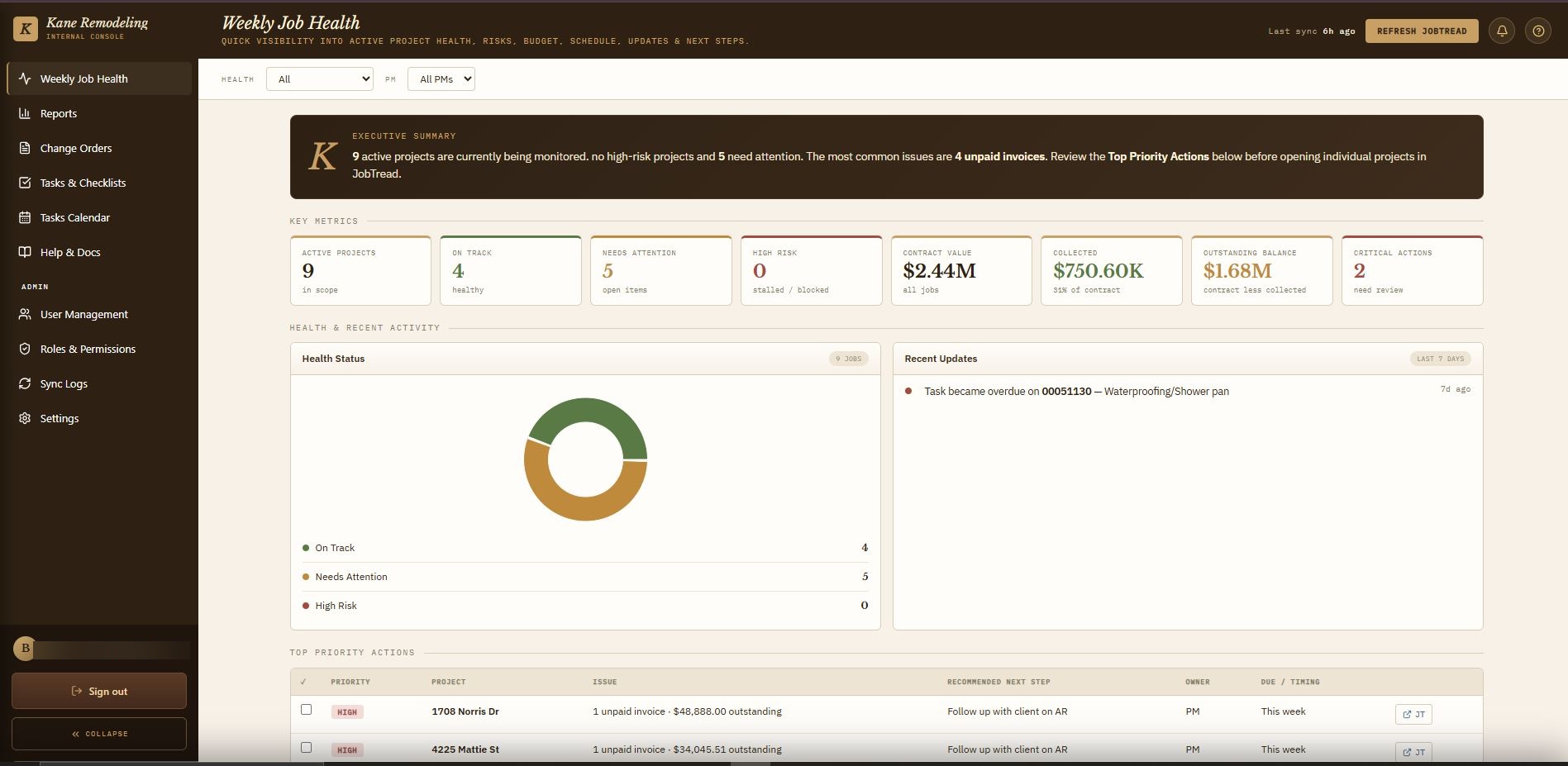
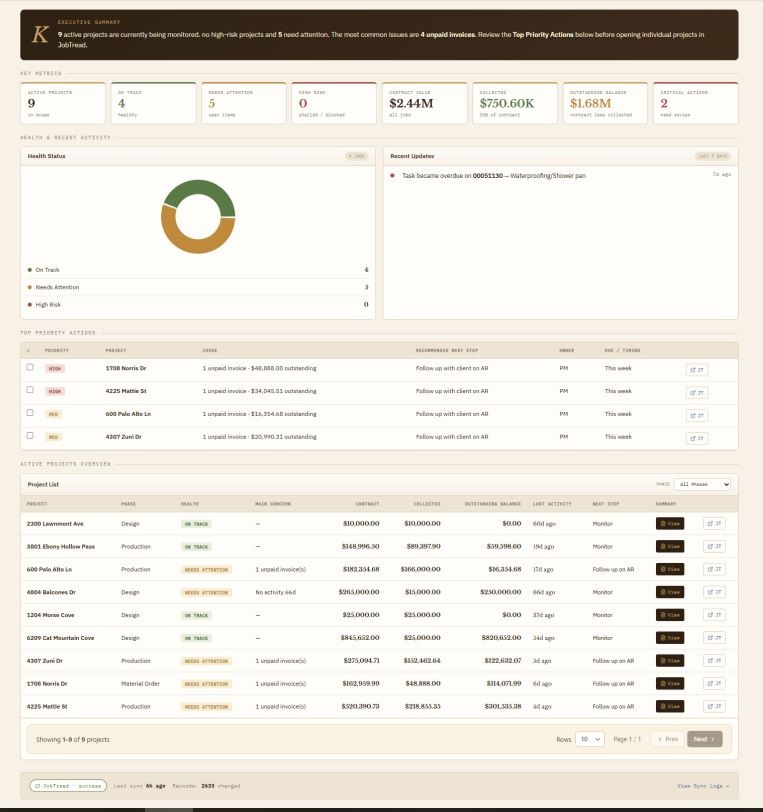
1. Executive project-health dashboard
  • Active project count, On Track / Needs Attention / High Risk distribution, and rule-based health scoring.
  • Contract value, collected value, outstanding balance, and top priority actions for AR, change orders, and vendor bills.
  • Project filtering by phase, PM, and health status, with a detail drawer for quick review.
2. Project detail & financial position
  • Approved contract and change-order value, invoiced and collected totals, and outstanding AR from open invoice balances.
  • Budgeted cost and margin shown separately from QuickBooks-confirmed actual cost — never silently substituted for one another.
  • Invoice/payment history, vendor cost visibility, task status, milestones, and a full project activity timeline.
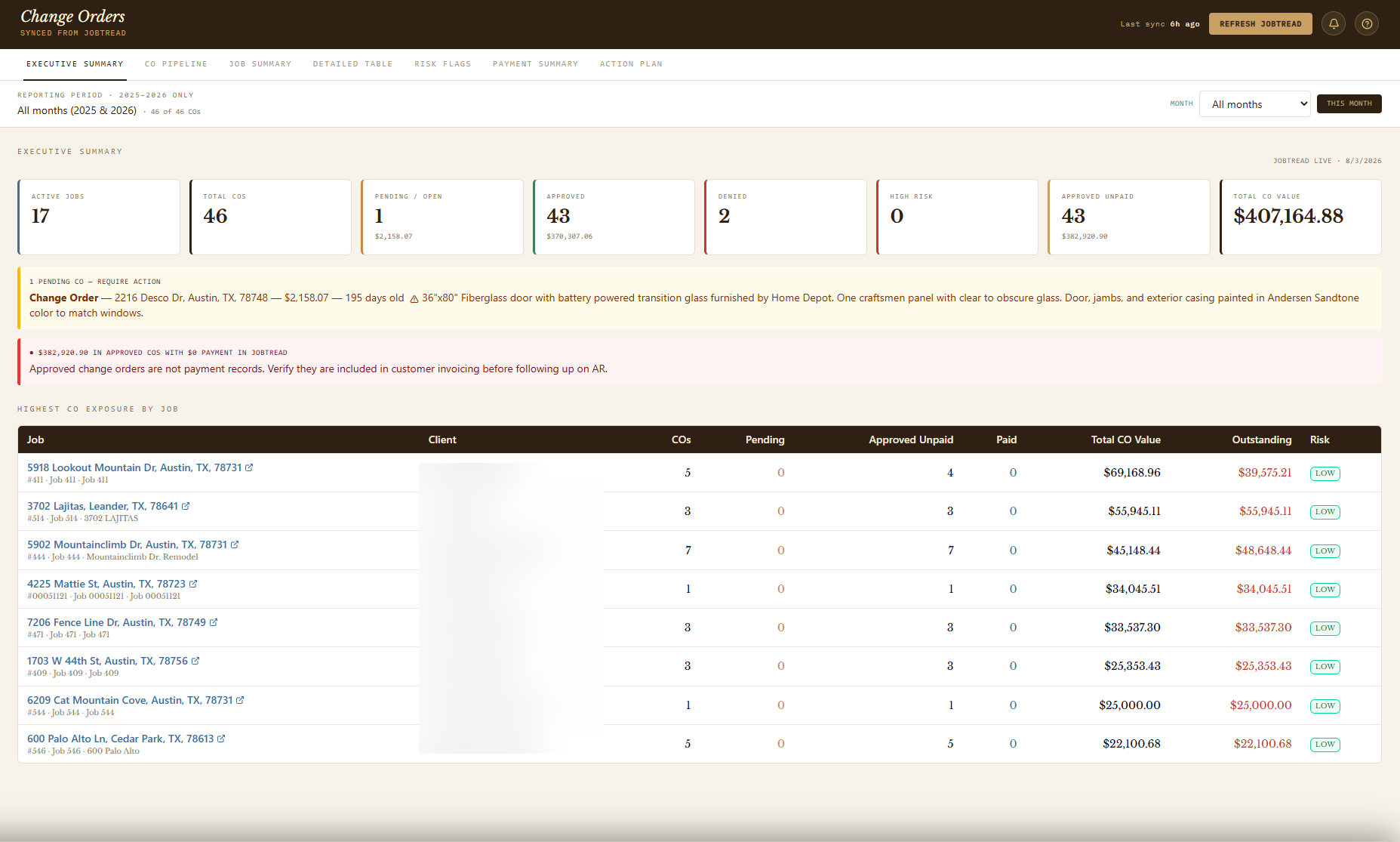
3. Change-order management
  • Executive summary, per-project rollups, and a pipeline grouped by stage.
  • Risk flags for missing signatures, zero-cost change orders, large pending scopes, and approved-but-unpaid balances.
  • Searchable, filterable detail table with a weekly action plan and direct JobTread links for source verification.
4. Financial reporting & CFO visibility
  • Approved sales, billed-to-date, collected cash, open AR/AP, budgeted vs. actual cost, and project-level financial position.
  • Monthly and year-to-date reporting periods with data-quality flags for unverified dates and fallback values.
  • Cents-based aggregation with explicit invoice/payment normalization, including JobTread records still marked approved after payment.
5. QuickBooks Online integration
  • OAuth connection with server-side token handling, initial + incremental sync, and Profit & Loss / Balance Sheet retrieval.
  • Cash and accrual reporting, retained snapshots, and expandable financial-statement hierarchy by account.
  • Account and project mapping with auto-mapping suggestions, manual review, and explicit stale / reconnect-required states.
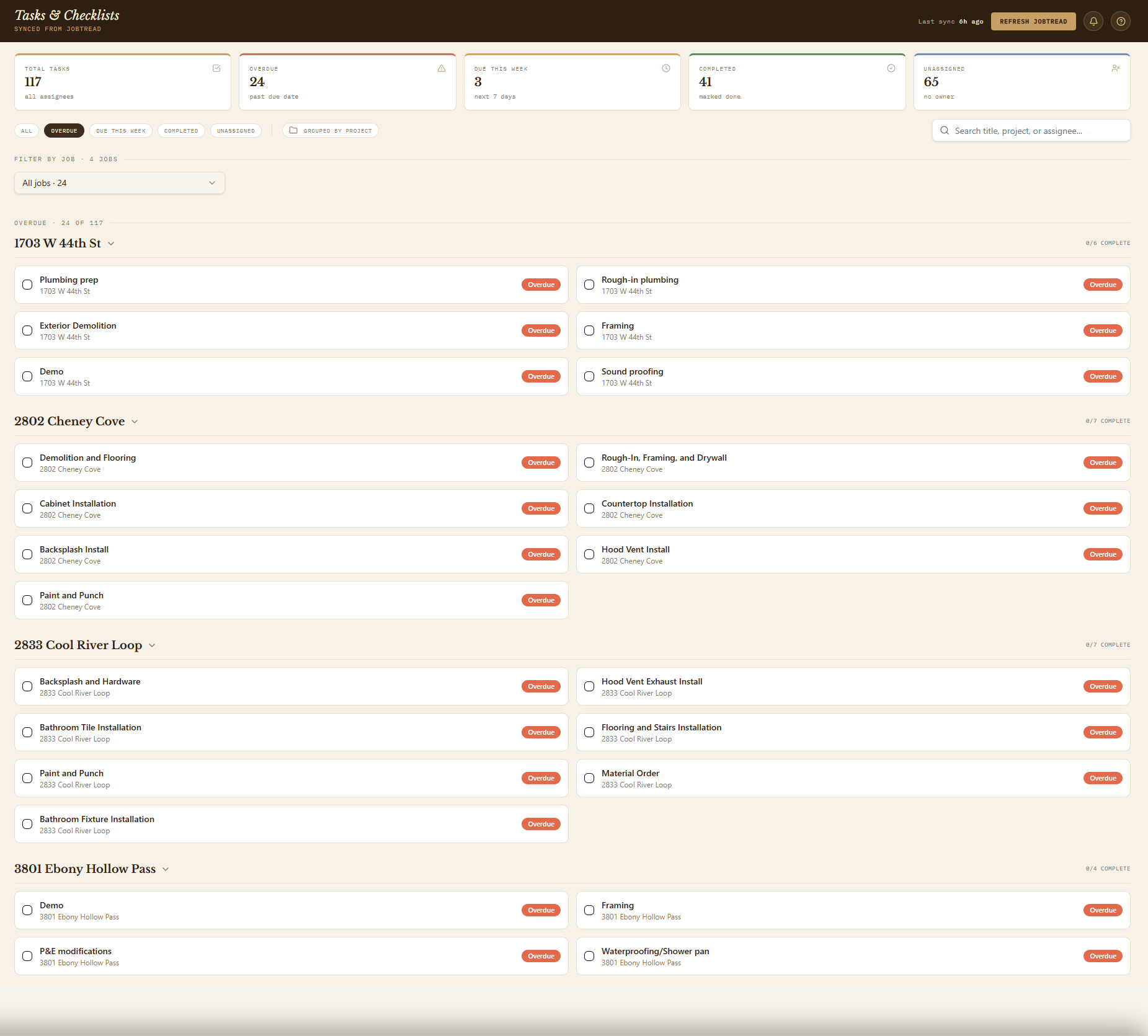
6. Task & checklist execution
  • Task list synced from JobTread with due dates, assignees, type, priority, and checklist sub-items.
  • Optimistic completion updates with rollback on failure, grouped-by-project or flat-list views.
  • Overdue, due-this-week, completed, and unassigned filters, plus deep links from notifications.
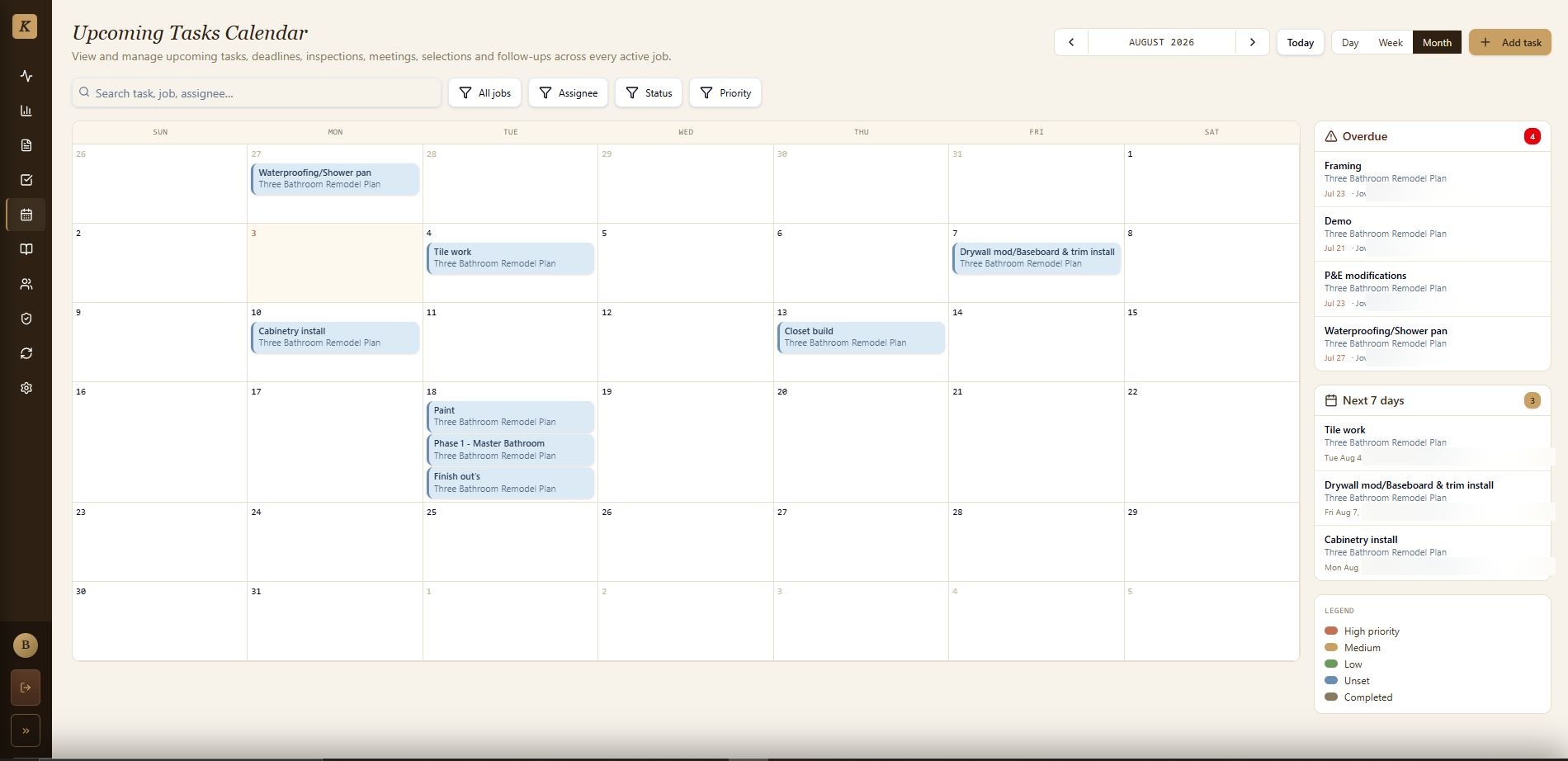
7. Calendar & scheduling
  • Project task calendar with day, week, and month views.
  • Task creation and editing directly from the calendar, with project, assignee, status, and priority fields.
  • Mobile agenda presentation and a sidebar view of broader task activity.
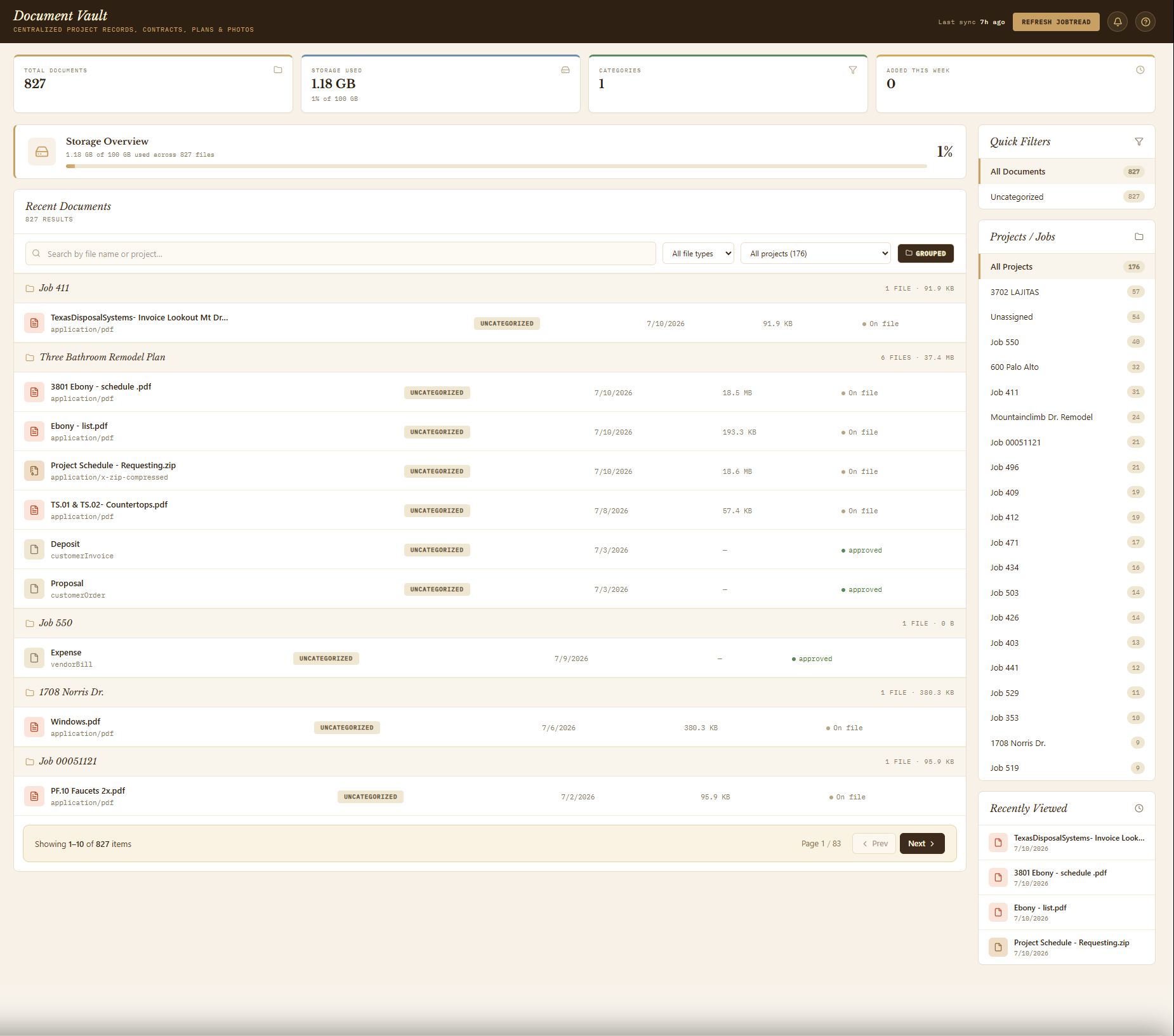
8. Document vault
  • Search by filename, filter by category or project, and switch between flat and grouped-by-project views.
  • File metadata, project, category, upload date, and size, with browser-managed downloads.
  • Synced on its own schedule, separate from the core operational full sync.
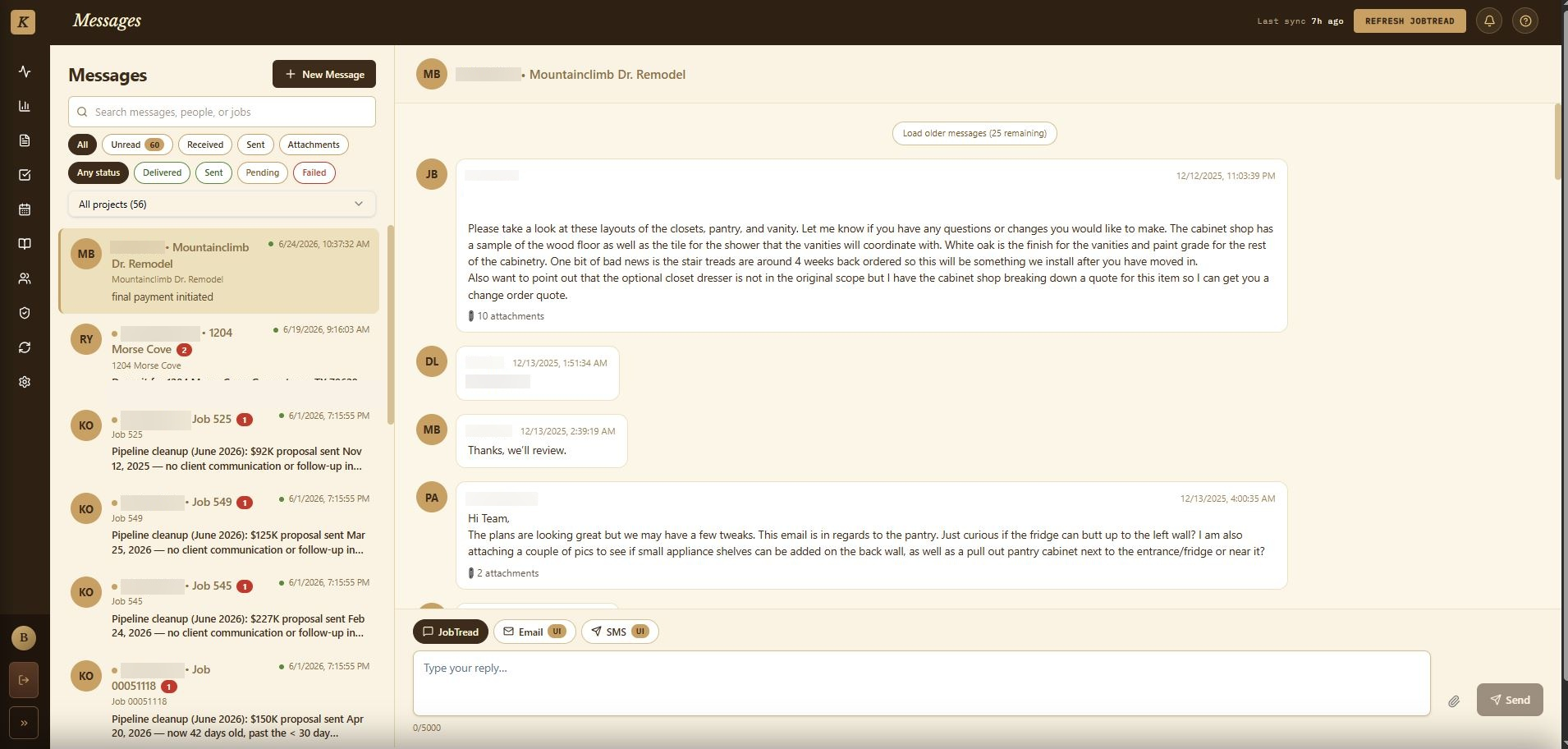
9. Messaging
  • Conversation list with unread indicators, search, and filters for unread, sent, failed, and all messages.
  • Real outbound communication through the JobTread channel, with pending / sent / failed states and retry on failure.
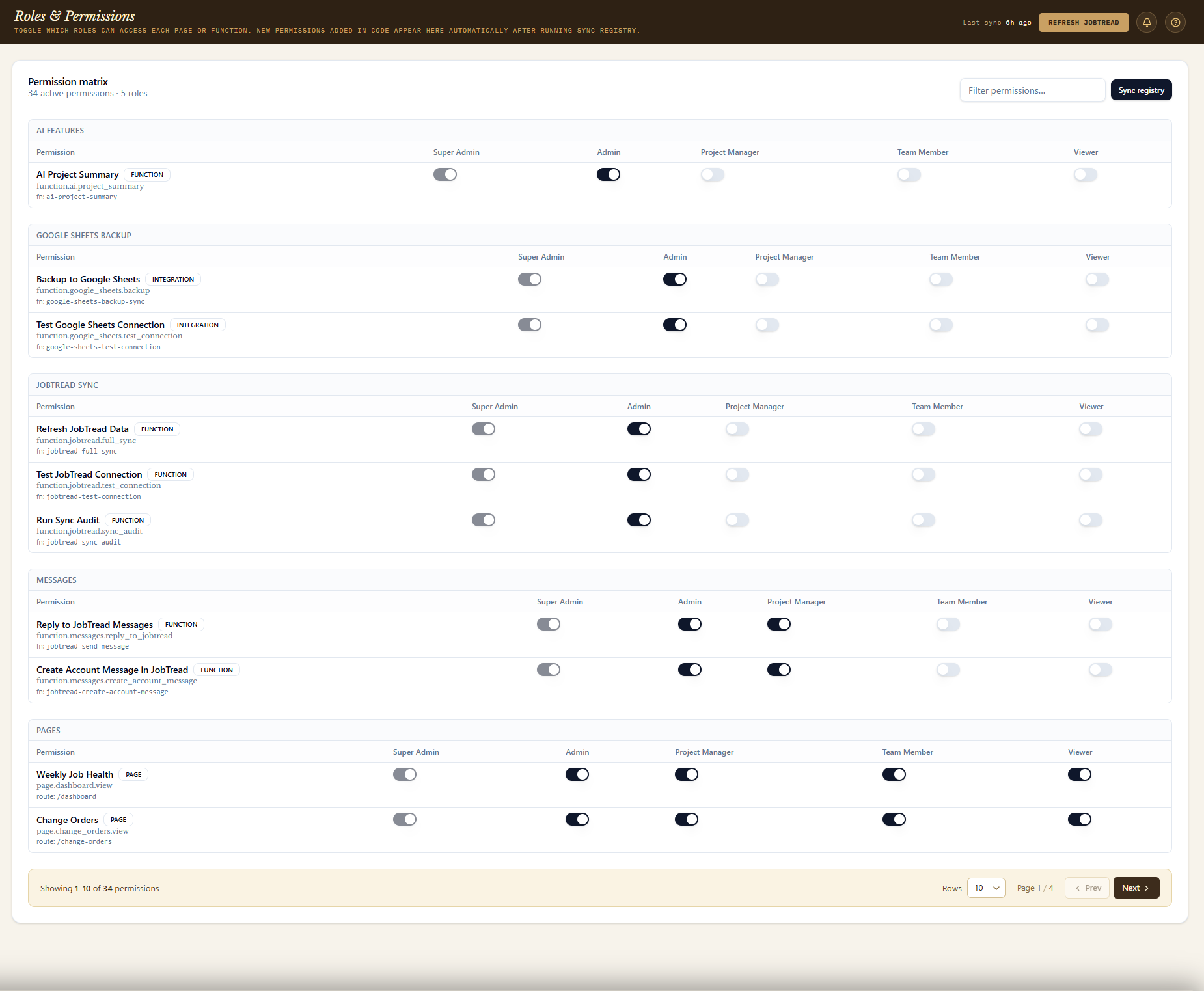
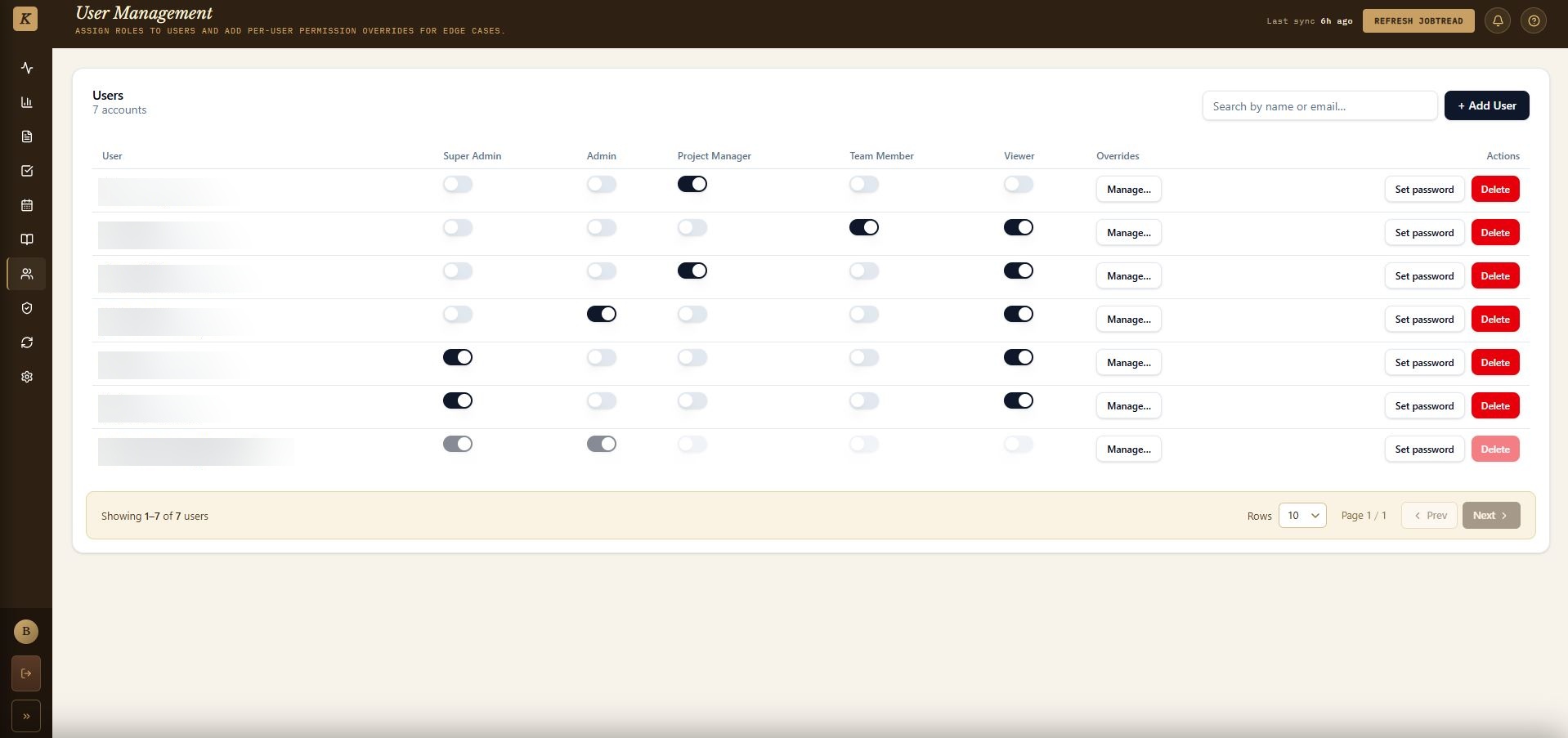
10. Users, roles & permissions
  • Five roles — Super Admin, Admin, Project Manager, Team Member, Viewer — plus per-user permission overrides.
  • Invite, deactivate, and delete users; reset passwords; configure page, function, data, and QuickBooks-access permissions.
  • Permission checks enforced at route and UI level, with denied-access events logged for audit review.
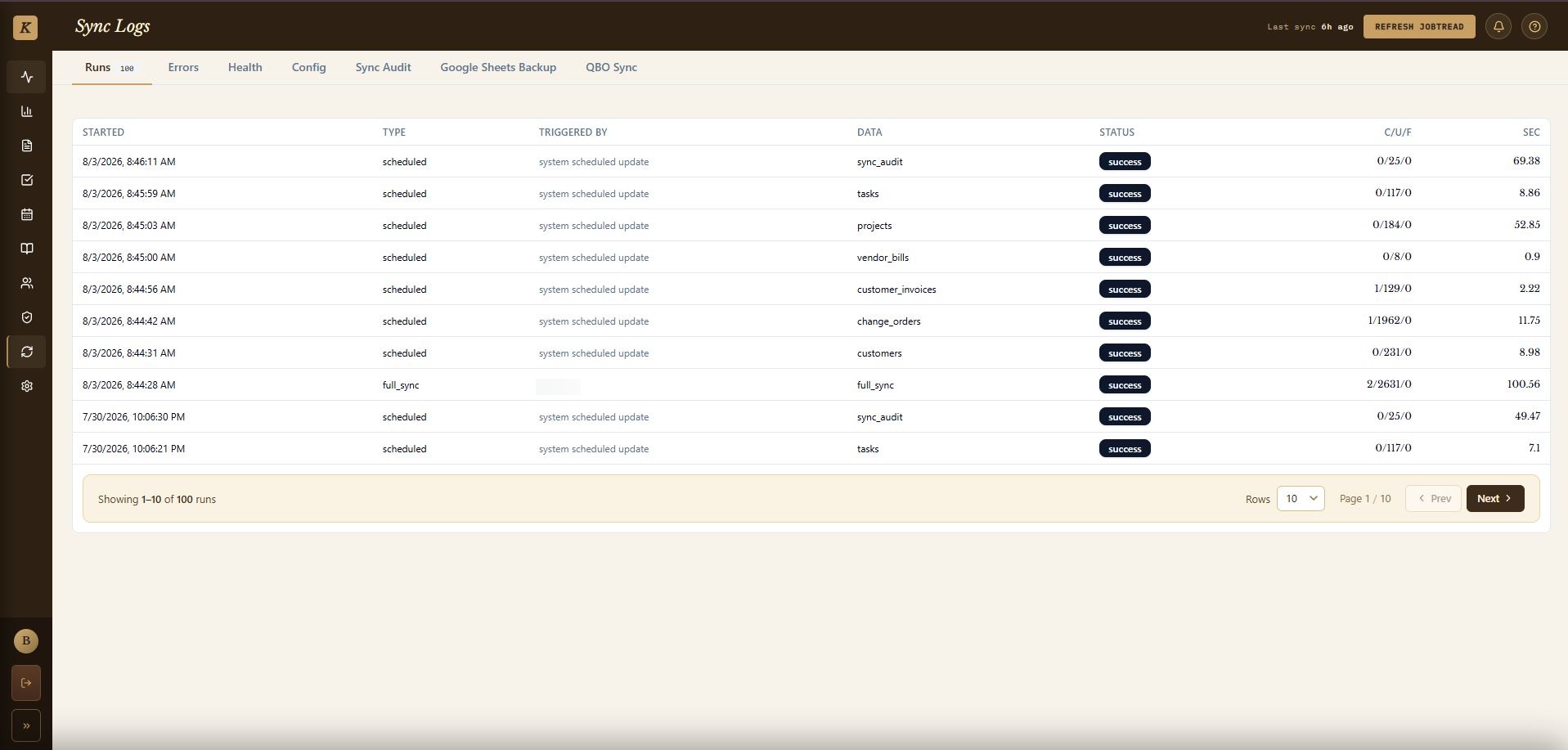
11. Sync operations & observability
  • Sync run history with success, partial, failed, and running states, plus records processed/failed/skipped.
  • Sync audit execution, active lock visibility, stale-lock cleanup, and QBO run/error detail.
  • Owner-aware distributed locking so an old worker can't release a newer worker's lock.
12. Google Sheets backup
  • Secondary operational copy of projects, customers, change orders, documents, messages, reports, and tasks.
  • Connection testing and backup-run status for authorized users.
  • Useful for spreadsheet-based handoffs and recovery-oriented visibility, not the primary system of record.
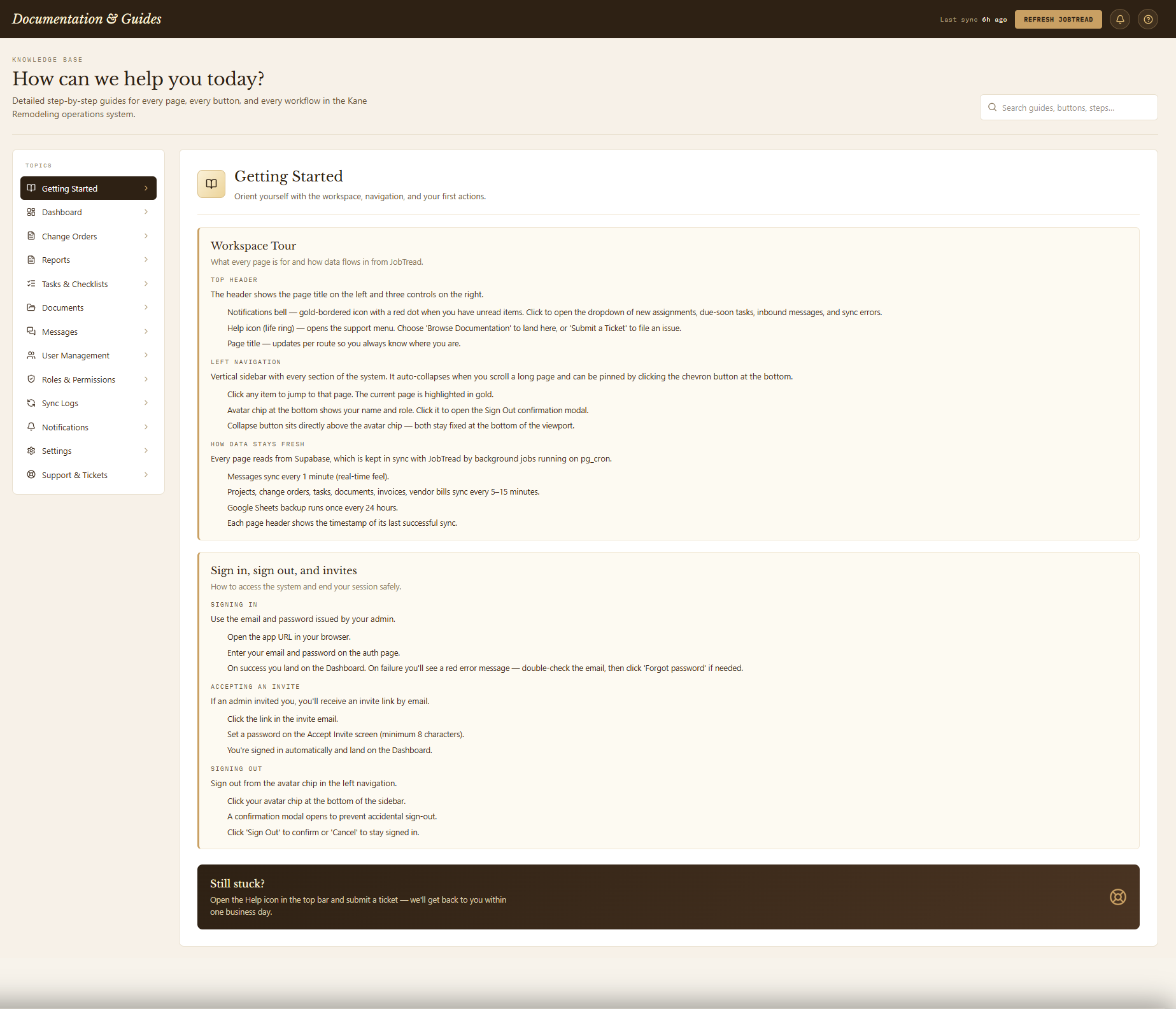
13. In-app documentation & support
  • Embedded guidance covering workspace orientation, dashboard metrics, change orders, reports, tasks, and permissions.
  • Searchable help articles and an issue-reporting entry point.
  • Reduces reliance on external training documents for a system this operationally deep.
Engineering Challenges

What made this harder than a typical dashboard

Technology

Built on

Frontend
  • React 19
  • TanStack Start
  • TanStack Router
  • TanStack Query
  • TypeScript
  • Tailwind CSS
  • shadcn/ui & Radix
  • Recharts
  • Vitest
Backend & Data
  • Supabase PostgreSQL
  • Supabase Auth
  • Row-Level Security
  • Supabase Edge Functions
Integrations
  • JobTread API
  • QuickBooks Online API
My Contribution

Designed and built end to end

I designed and developed the full-stack platform — the frontend application, Supabase data architecture, JobTread synchronization workflows, QuickBooks Online integration, financial reporting logic, role-based permissions, responsive UI, error handling, and automated testing.

Gallery

Screens & workflows
Comments

Have thoughts on this project?

Leave a public comment — questions, feedback, or your own experience with a similar system.

Loading comments…

Financial and project data scattered across too many tools?

I'll build a synced operations layer that gives your team one accurate view of every project.

Work With Me →