Construction Management Platform

An end-to-end construction management system that connects client intake, estimating, proposals, project delivery, workforce records, inventory, payments, accounting, reporting, and warranty follow-up in one workspace.

Construction CRMProject ManagementAccountingAI WorkflowsFinancial Reporting
SGB ConstructionClient
Construction / RenovationIndustry
2 monthsDuration
React · Vite · SupabasePlatform
Overview

One workspace instead of a dozen spreadsheets.

Construction companies often manage leads, estimates, project tasks, material purchases, labor, client payments, receipts, and accounting across disconnected spreadsheets and messaging apps. This system centralizes those workflows so the team can move from the first client conversation to project completion with a consistent, traceable record — built for residential contractors, renovation companies, design-build teams, general contractors, and growing construction businesses that need stronger operational control without the complexity of a large enterprise ERP.

The Problem

Leads, estimates, tasks, material purchases, labor, payments, and accounting were scattered across spreadsheets and chat threads, leaving managers without a single view of project status, cost, or profitability.

The Approach

Built a unified operations platform — Construction CRM, AI-assisted estimating, proposals and contracts, project management, payroll, inventory, accounting, and warranty tracking — all connected to the same customer and project record.

The Result

A single system that follows a project from first client conversation through completion and warranty service, with actual-vs-estimated cost tracking and full financial reporting.

The Business Problem

What construction teams were dealing with before

Core Capabilities

18 connected capability areas

Click any card to expand the full detail.

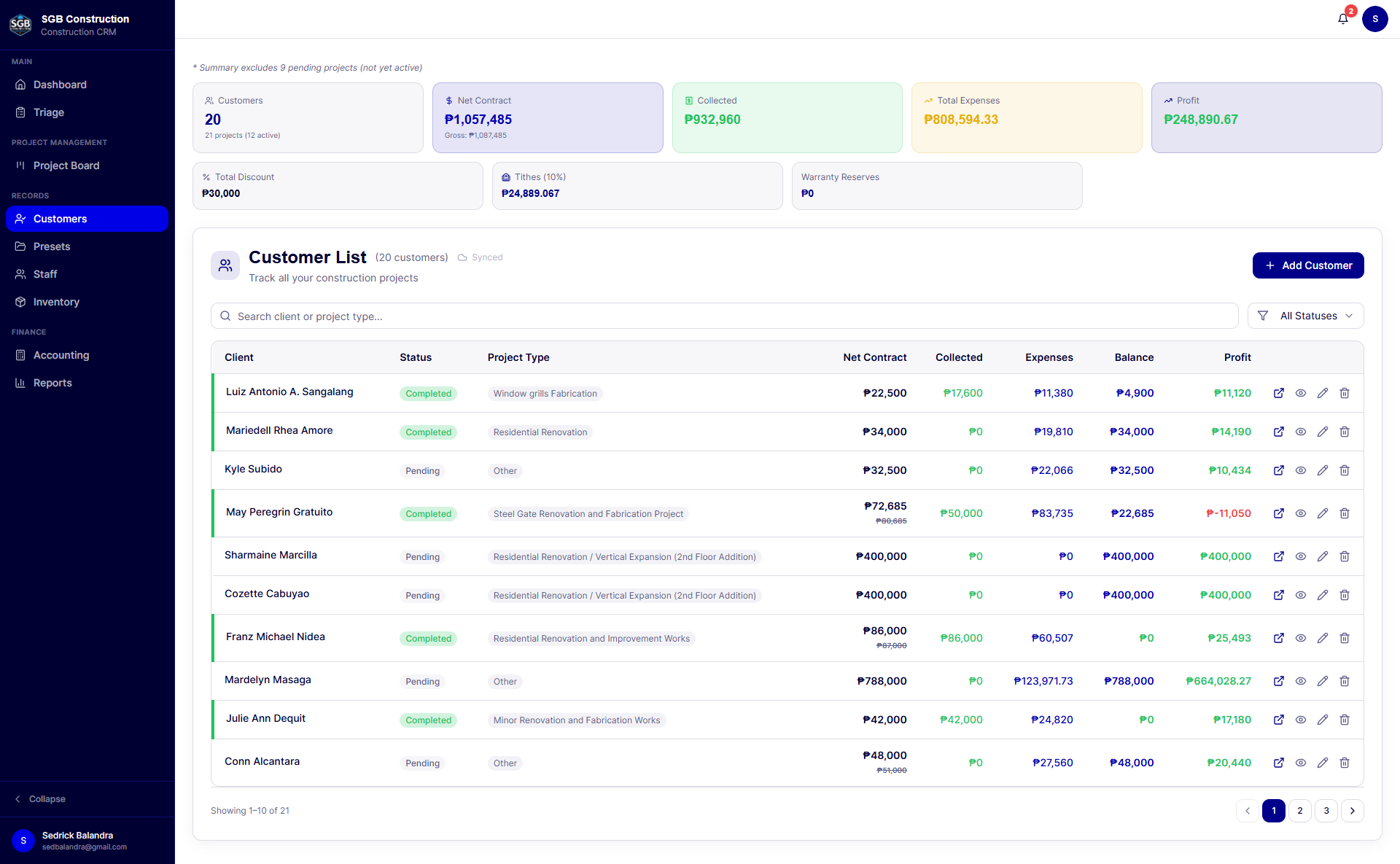
1. Construction CRM and customer records
  • Centralized customer and project profiles.
  • Contact details, project location, scope, notes, start date, and target completion date.
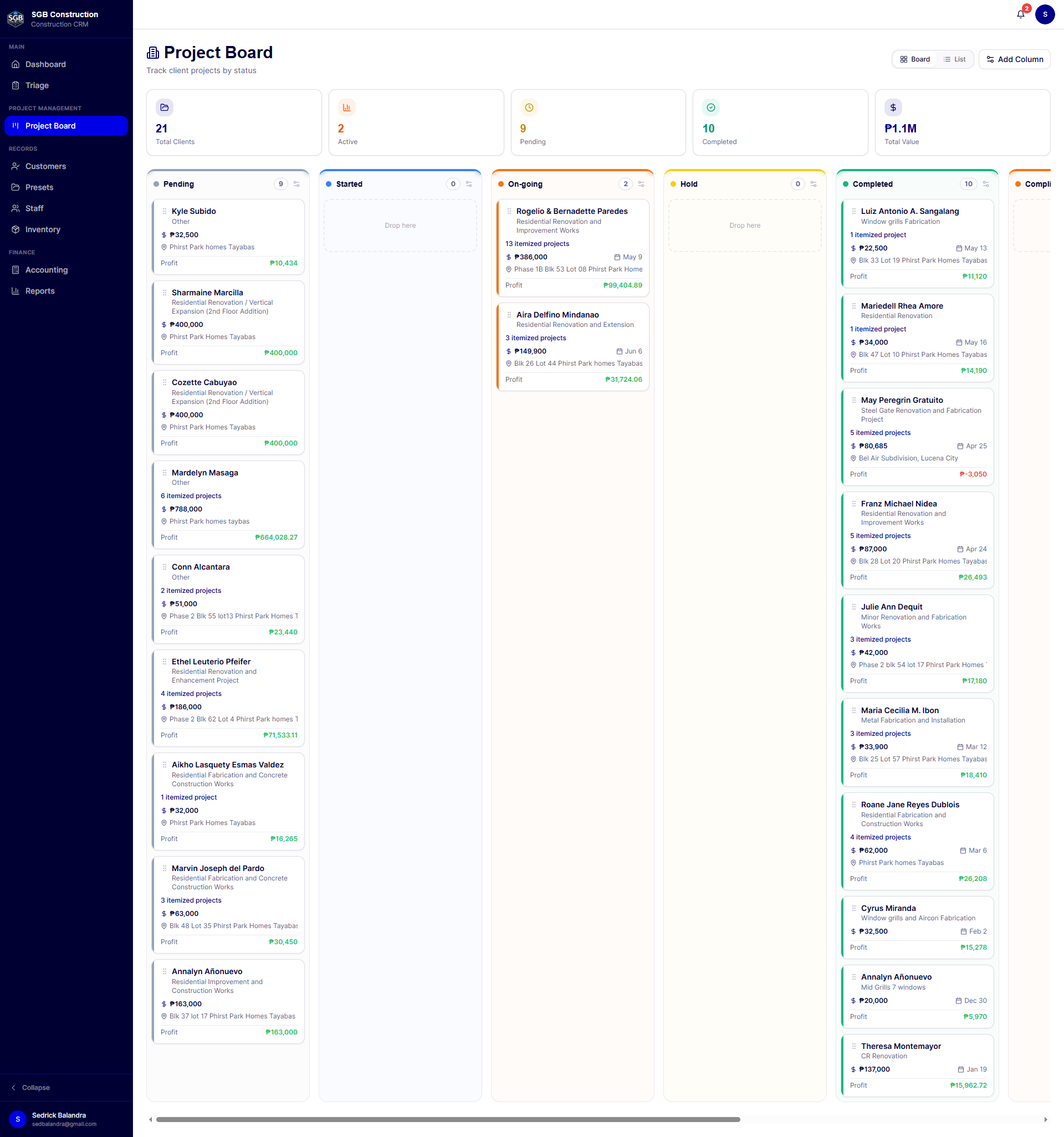
  • Project status tracking from pending through active, completed, and other operational stages.
  • Client-level view of contract value, collected payments, outstanding balance, estimated costs, expenses, profit, and warranty reserve.
  • Project image gallery and supporting files.
  • Searchable customer list and detailed client workspace.
2. Lead intake and project triage
  • Capture client and project information in one guided workflow.
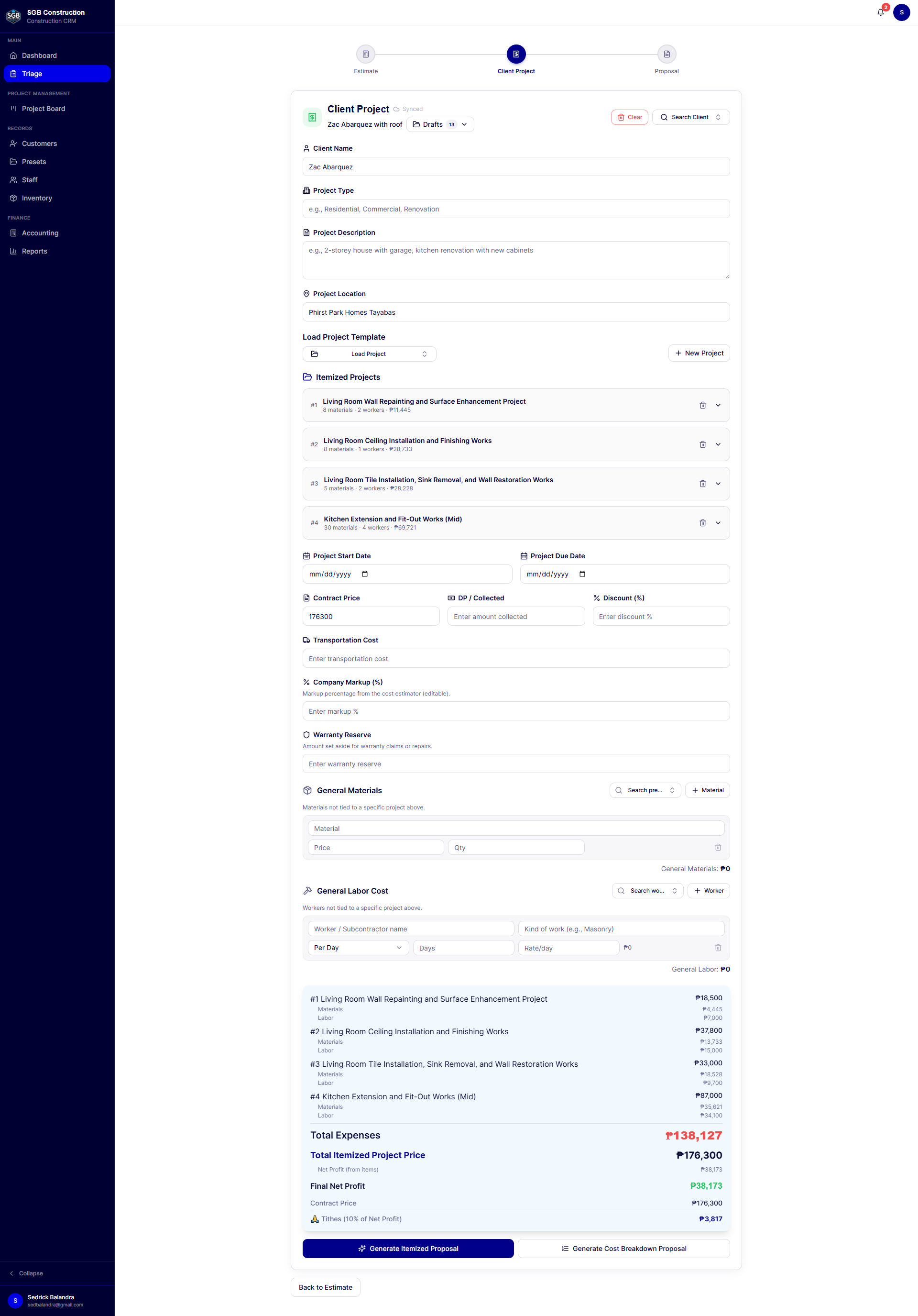
  • Define project type, scope, location, schedule, contract price, and amount collected.
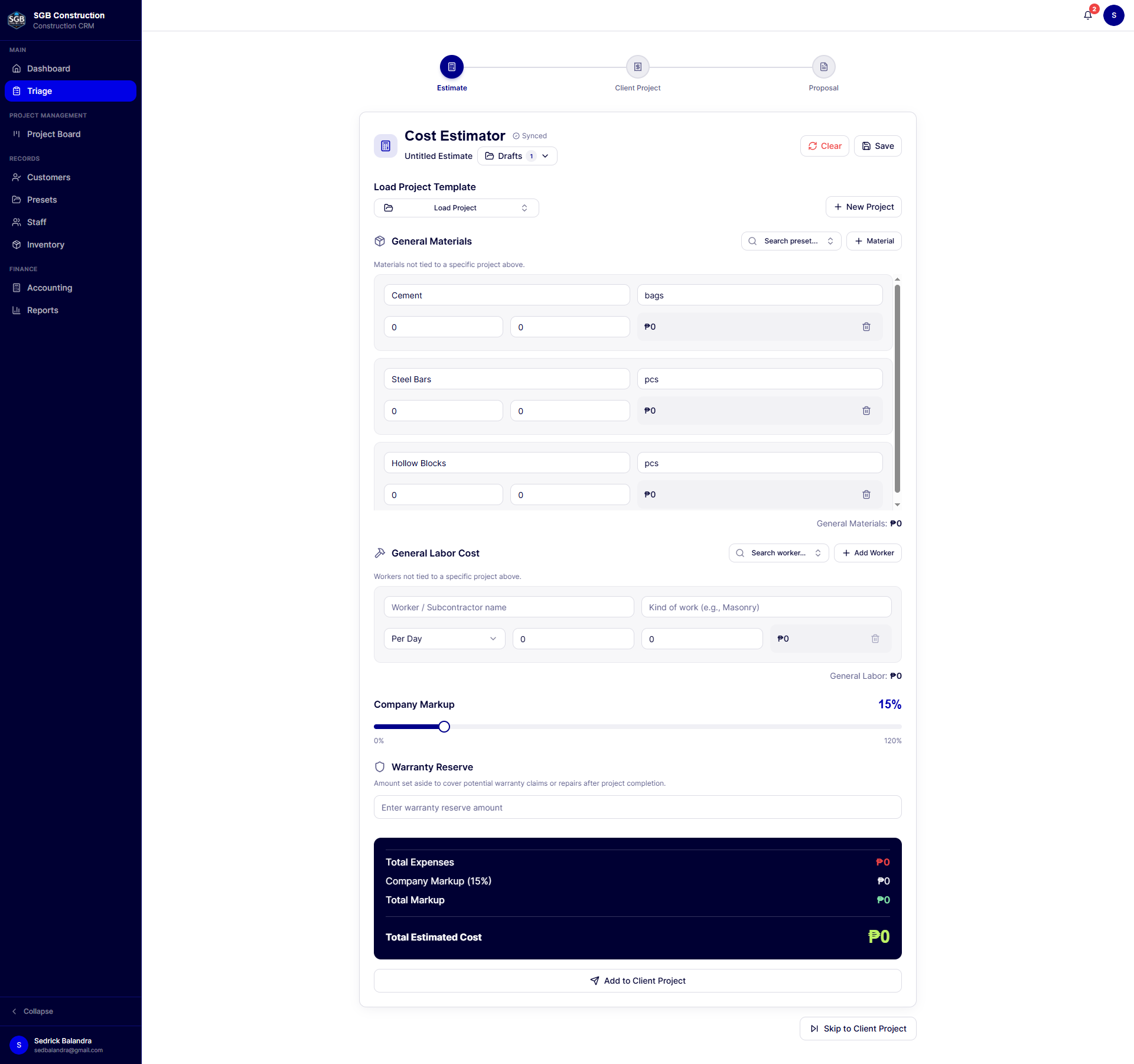
  • Build estimates using materials, labor, project items, markup, and warranty reserve.
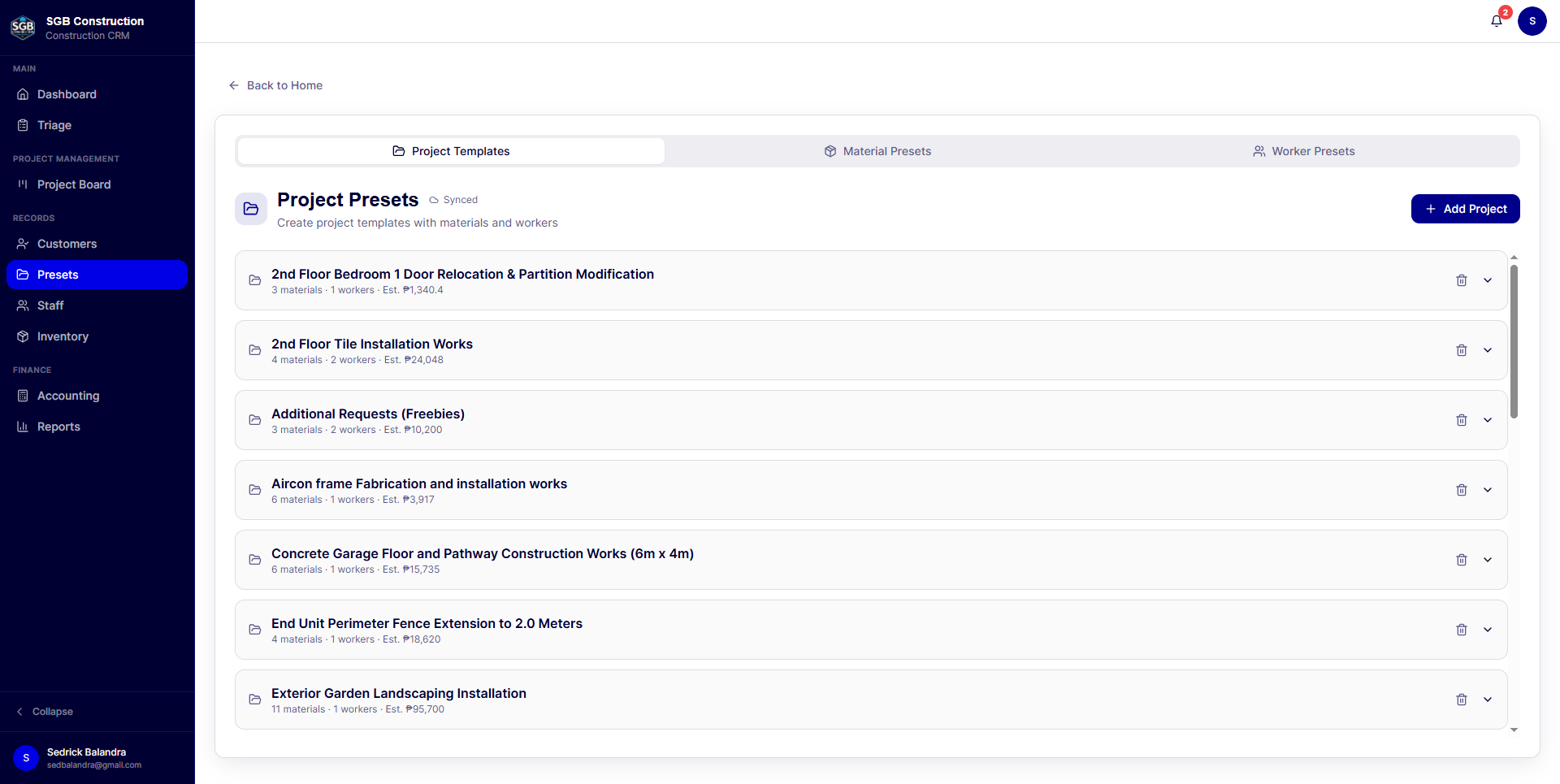
  • Save repeatable project configurations as presets.
  • Convert a qualified opportunity into a customer and active project record.
  • Carry estimate data into project management, tasks, materials, and payment records.
3. Cost estimation and pricing control
  • Itemized materials and labor estimates.
  • Daily-rate and per-project worker compensation models.
  • Project-specific pricing and descriptions.
  • Configurable markup percentage.
  • Warranty reserve included in project financial planning.
  • Estimated materials, labor, total expense, contract price, and projected profit.
  • Reusable material, worker, and project presets to improve consistency and speed.
4. AI-assisted proposals
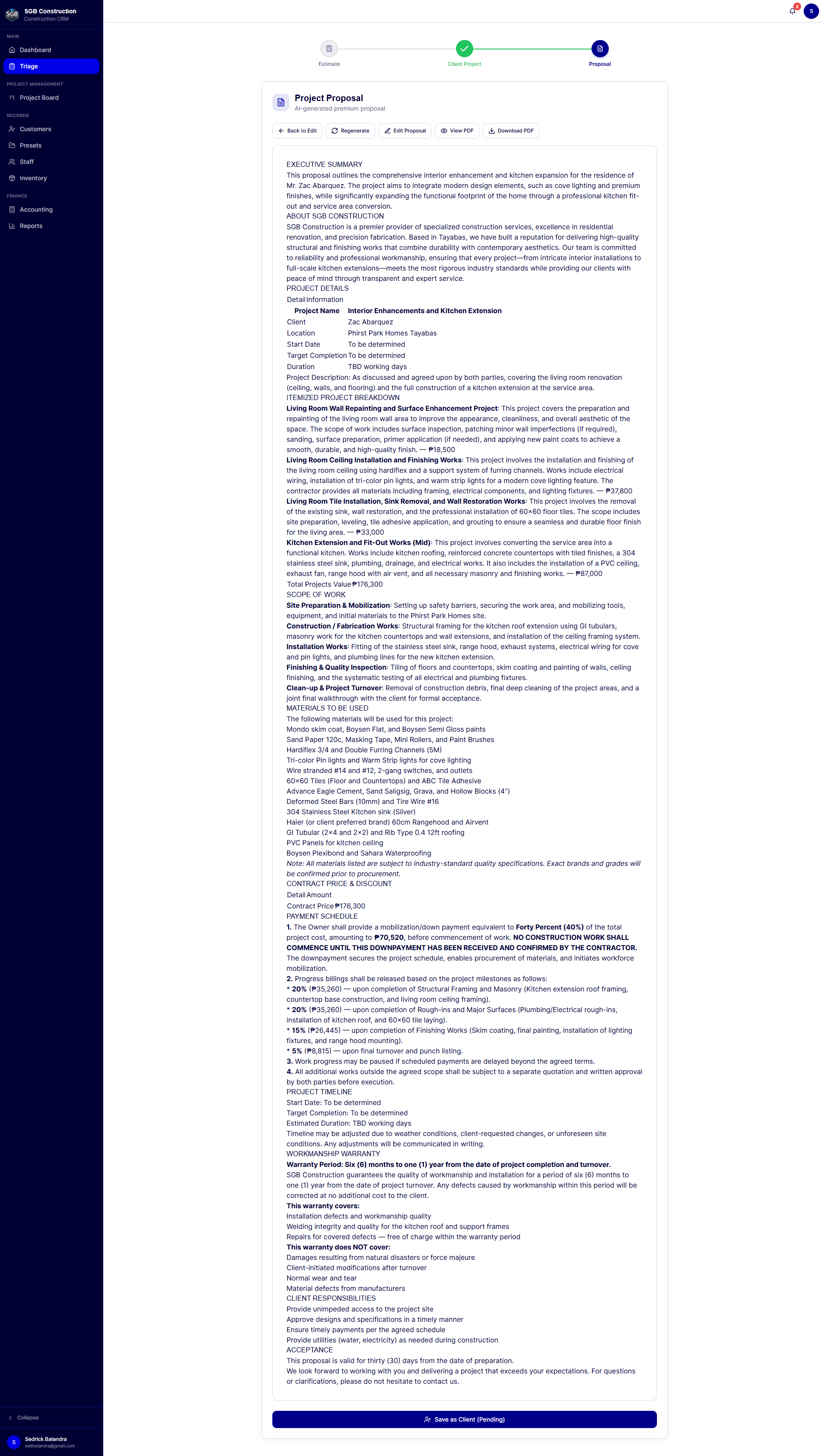
  • Generate professional proposals from project information and estimate data.
  • Support itemized proposals and cost-breakdown proposals.
  • Select which projects or scopes should be included in a proposal.
  • Regenerate proposals when project scope or pricing changes.
  • Edit proposal content before presenting it to the client.
  • Keep the proposal attached to the relevant customer or project record.
  • AI is used to accelerate document preparation; the contractor remains in control of the final scope, pricing, and wording.
5. AI-assisted contract generation
  • Generate construction contracts from project and customer information.
  • Include project description, pricing, payment terms, inclusions, warranty information, and special conditions.
  • Preview and review generated contract content.
  • Store contract records with contract numbers, dates, and status.
  • Upload signed contract files for future reference.
  • Keep contracts associated with the customer and project history.
6. Project management workspace
  • Project board for a visual overview of active work.
  • Project status and completion progress.
  • Dedicated project detail pages.
  • Task creation with title, description, assignee, due date, and status.
  • Task completion tracking and overdue/due-soon notifications.
  • Project-specific materials list with quantities and unit prices.
  • Project-specific payment records.
  • File uploads for project documentation.
  • Proposal and contract access from the project workspace.
7. Client payments and collections
  • Record downpayments and project payments.
  • Support cash, bank transfer, check, and GCash payment methods.
  • Store payment dates, references, notes, and payment types.
  • Calculate total paid and remaining balance against the contract.
  • Generate payment receipts for clients and internal records.
  • Link project payments to project and customer financial summaries.
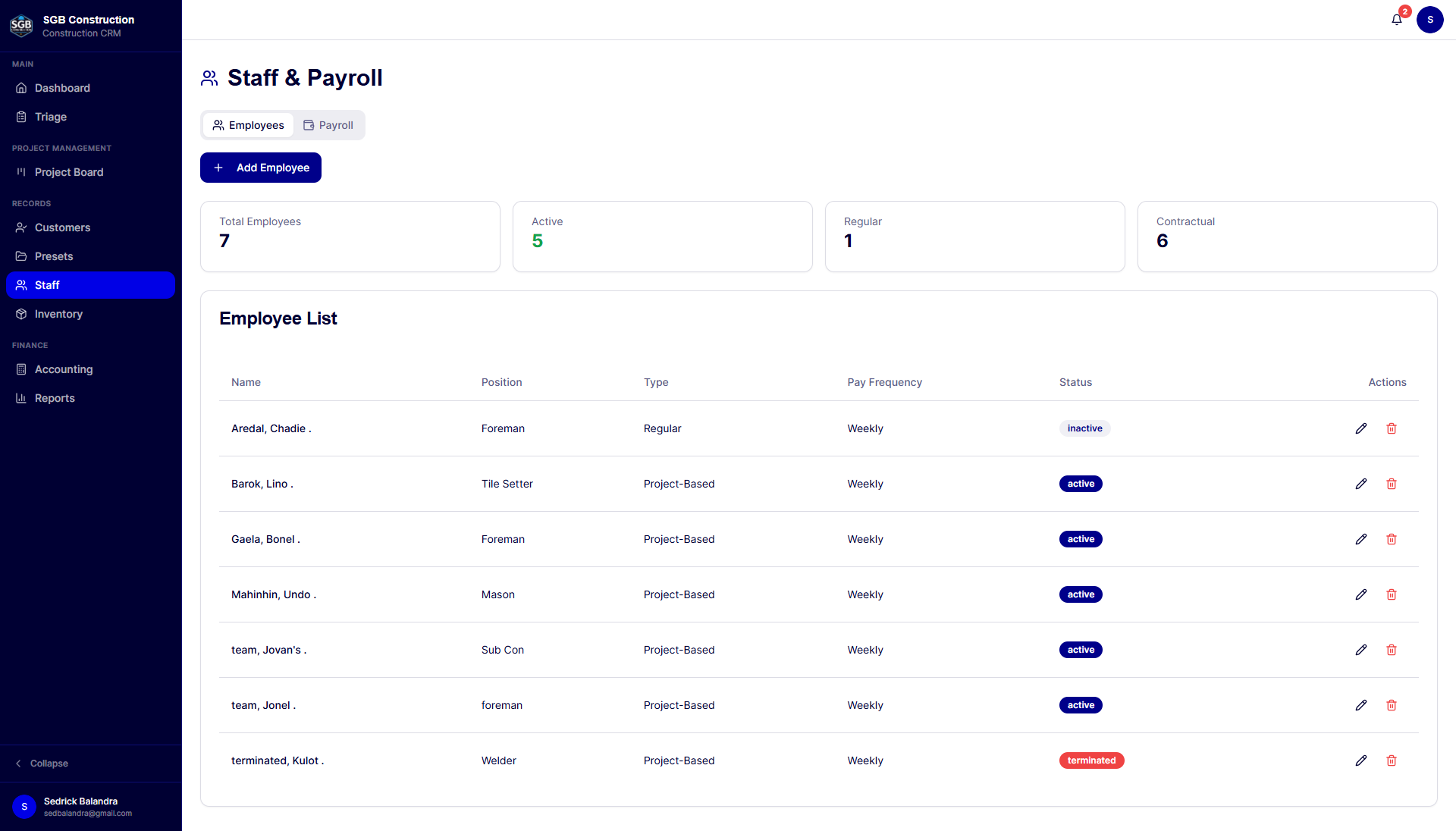
8. Staff, labor, and payroll management
  • Employee and staff directory.
  • Employee code, position, department, employment type, status, and pay frequency.
  • Payroll records associated with employees and projects.
  • Daily-rate and project-rate labor support.
  • Cash advance tracking.
  • Payroll calculations and Philippine payroll-related contribution support.
  • Payment history and printable payment receipts.
  • Staff access can be controlled through role-based permissions.
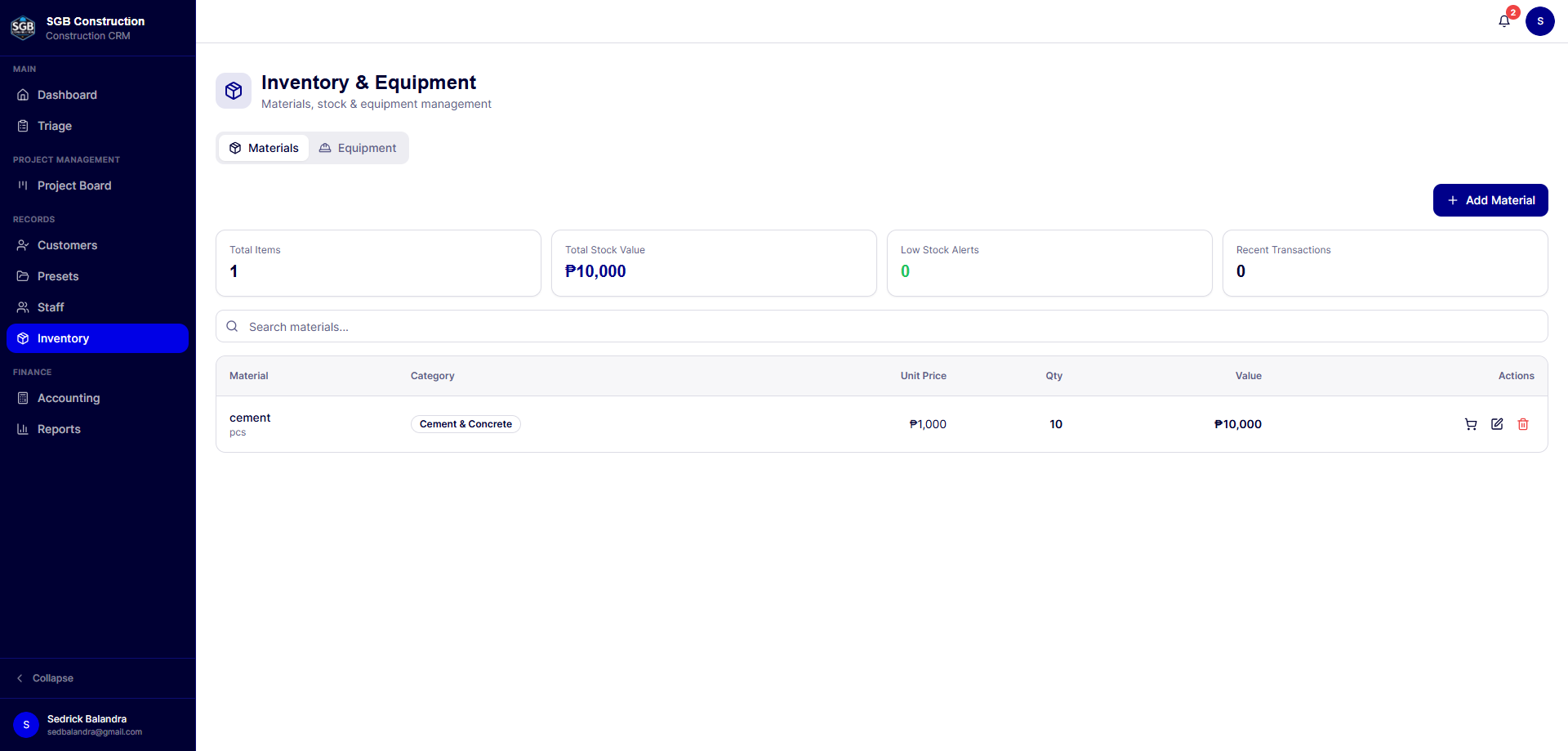
9. Inventory and materials control
  • Maintain material records, quantities, unit prices, and categories.
  • Use material presets to speed up estimating and project setup.
  • Track materials used by individual projects.
  • Record project material costs for cost and profitability analysis.
  • Return leftover materials from a project back into inventory.
  • View inventory value as part of financial reporting.
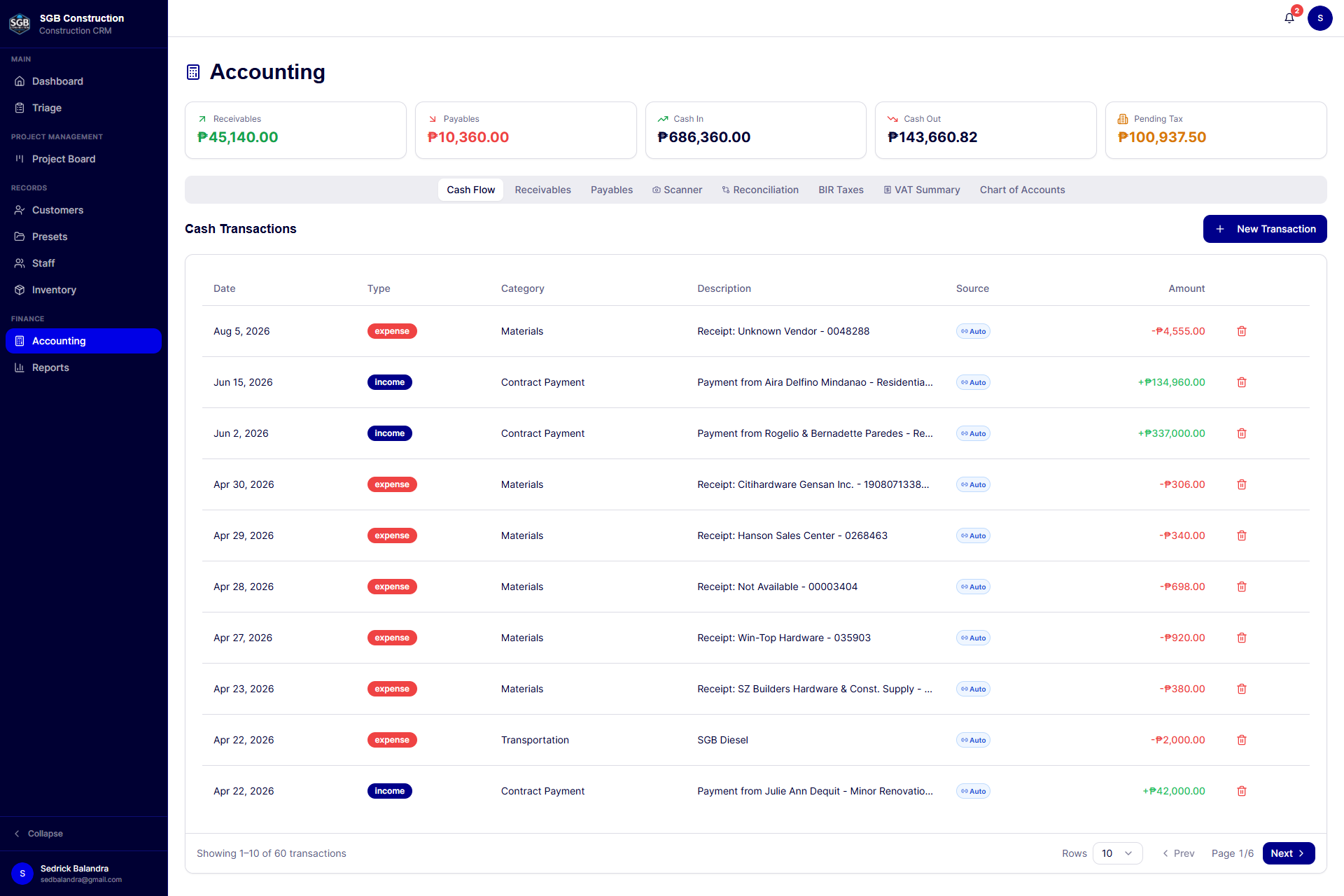
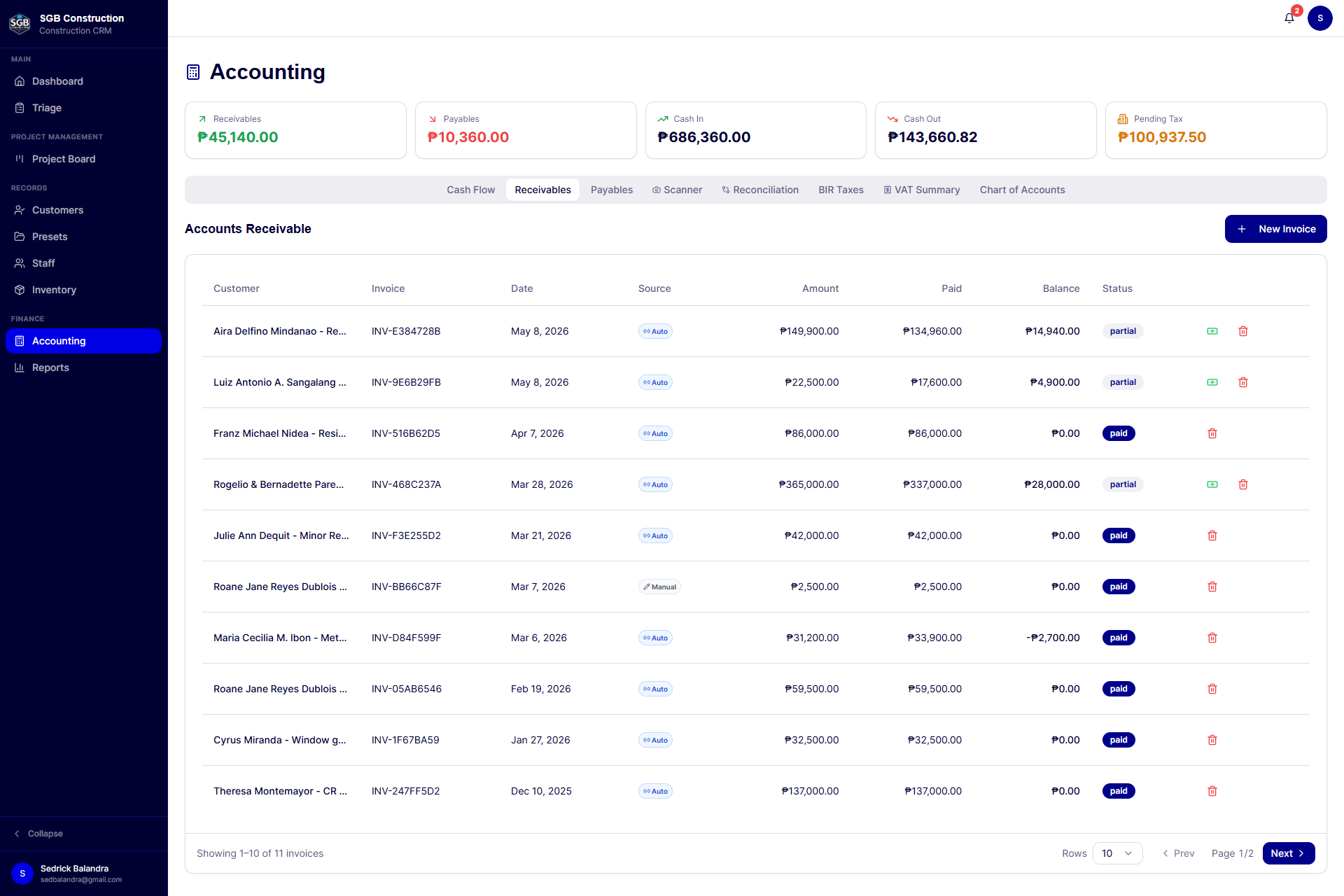
10. Accounting operations
  • Accounts receivable tracking for client invoices and balances.
  • Accounts payable tracking for vendors, suppliers, and subcontractors.
  • Record partial and full payments.
  • Cash transaction recording with categories, payment methods, linked clients, and transaction types.
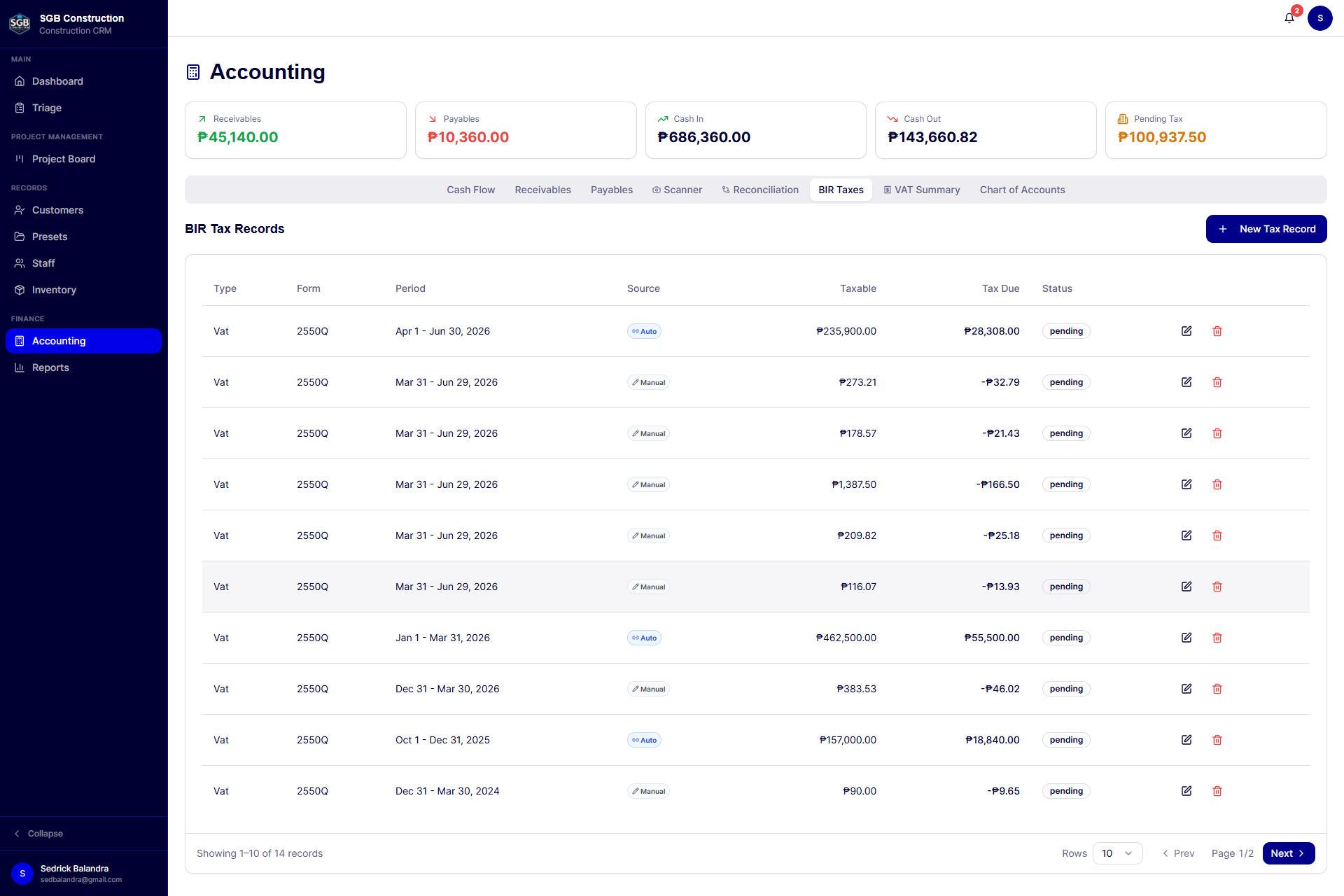
  • Tax record management for withholding tax, VAT, percentage tax, and income tax.
  • Philippine BIR tax form support within the tax-record workflow.
  • Chart of accounts tailored to construction operations.
  • Reconciliation view comparing project and payroll activity with accounting entries.
  • Accounting sync indicators for records created from operational workflows.
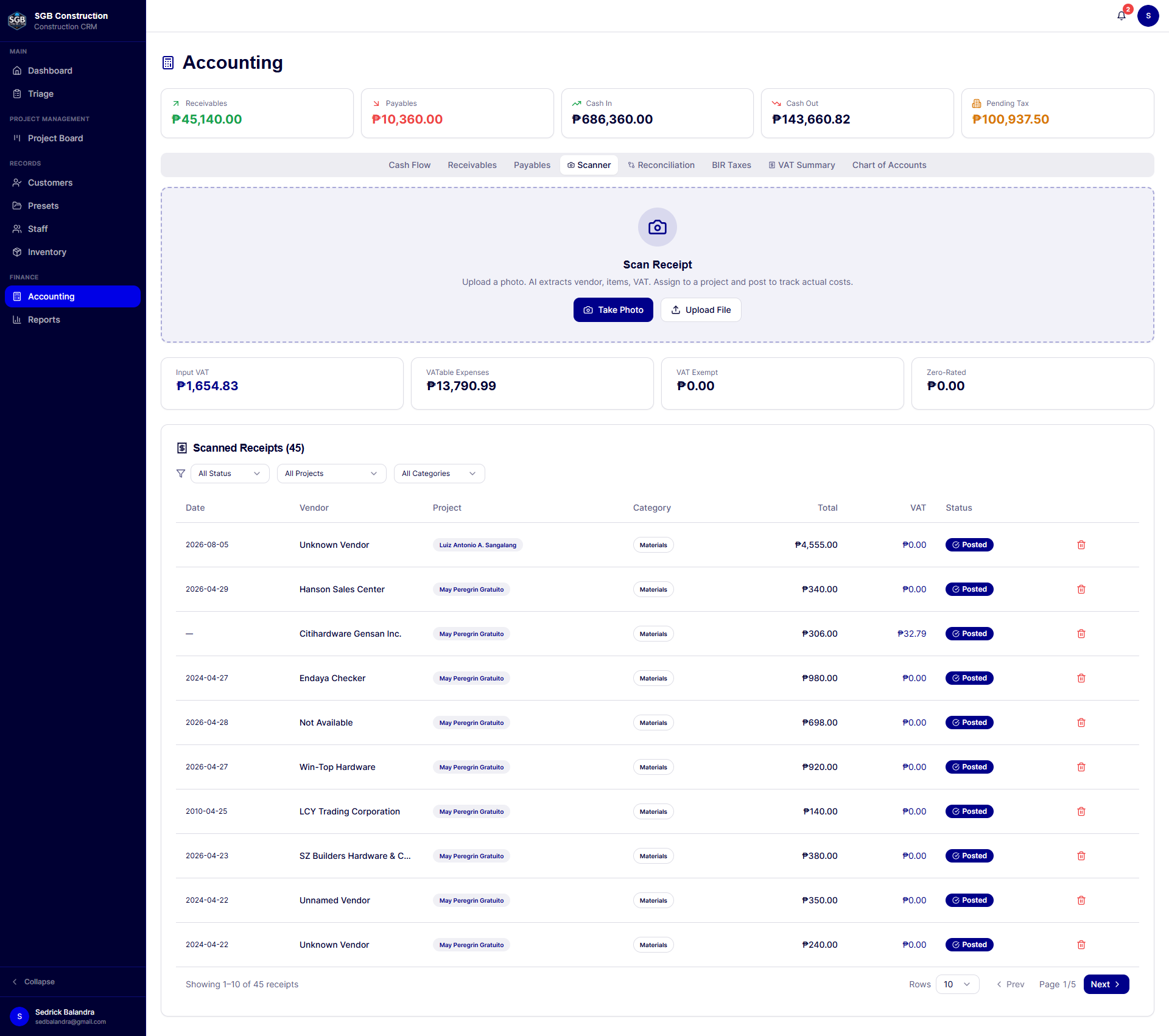
11. Receipt scanning and expense capture
  • Upload receipt images for automated data extraction.
  • Extract vendor, date, total amount, VAT, payment method, and expense category.
  • Review and edit extracted receipt data.
  • Filter scans by status, project, and category.
  • Track receipt status as draft, reviewed, or posted.
  • Convert reviewed receipts into accounting expenses.
  • Link expenses to a client or project.
  • Support VAT summaries for expense review.
12. Warranty and after-sales tracking
  • Set aside a warranty reserve per project.
  • Record warranty claims with description, date, and amount.
  • Track total warranty cost against the reserved amount.
  • Show remaining warranty reserve.
  • Sync warranty expenses into accounting.
  • Include warranty obligations in project profitability and financial reports.
  • Gives the contractor a more honest view of project profitability by accounting for likely post-completion service costs.
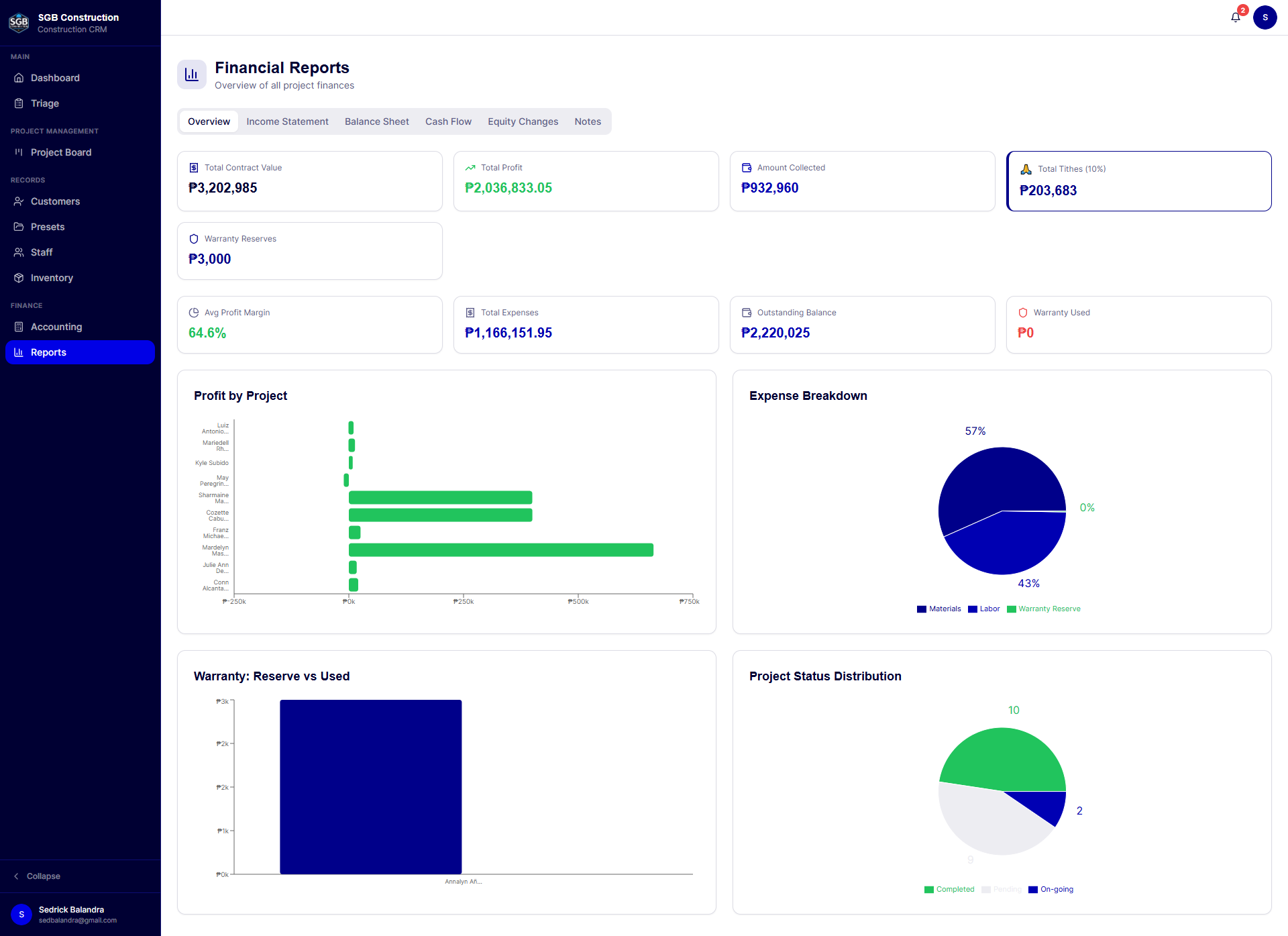
13. Financial reporting and management visibility
  • Dashboard-level operational and financial summaries.
  • Profit by project.
  • Expense breakdown.
  • Project status distribution.
  • Warranty reserve versus warranty usage.
  • Income statement.
  • Balance sheet.
  • Statement of changes in owner's equity.
  • Cash inflows and cash outflows.
  • Working capital position.
  • Accounts receivable, accounts payable, inventory, cash, equipment, and warranty liability views.
  • Notes to financial statements with construction-specific accounting explanations.
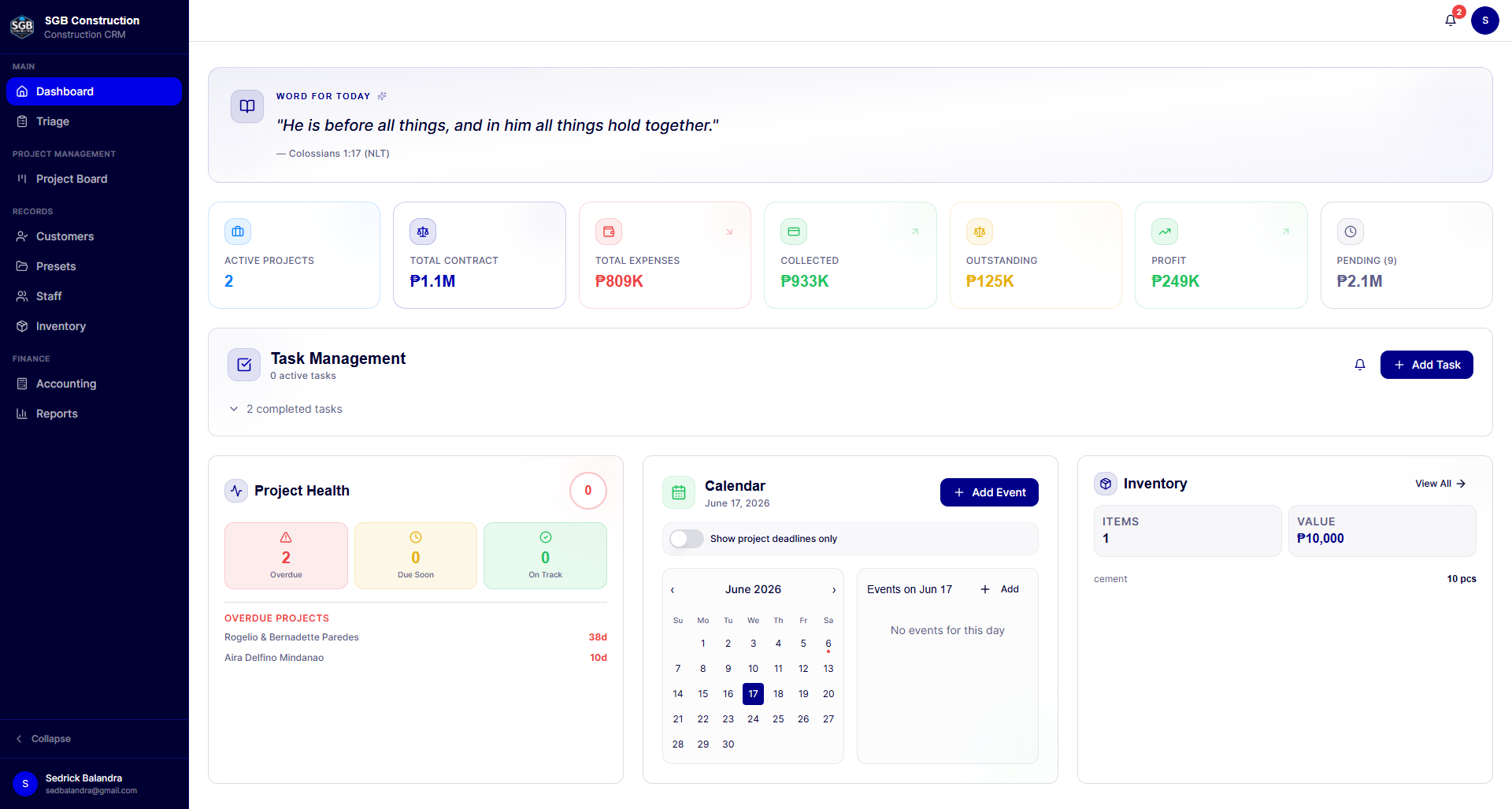
14. Operations dashboard and proactive alerts
  • Quick operational and financial statistics on the dashboard.
  • Project health score based on active projects, due dates, overdue work, and projects that are on track.
  • Project timeline visualization for portfolio-level progress.
  • Calendar for company events and project deadlines.
  • Deadline filters for overdue, due today, due soon, and upcoming work.
  • Browser notifications for project due dates.
  • Task notifications for new assignments, overdue tasks, and tasks due soon.
  • Mobile-friendly navigation and responsive layouts for office and field use.
15. Actual-versus-estimated cost control
  • Compare estimated materials and labor against actual posted costs.
  • Include receipt expenses, manual cash expenses, payroll costs, and cash advances in project cost analysis.
  • Categorize actual costs into materials, labor, equipment, and other expenses.
  • Open the underlying receipts and cost entries behind a variance.
  • Surface under-budget or over-budget variance at the project level.
16. Equipment and fixed-asset tracking
  • Record construction equipment and company assets.
  • Track equipment category, serial number, location, status, purchase cost, and purchase date.
  • Search and maintain equipment records separately from consumable inventory.
  • Include equipment value in financial reporting.
17. Reusable workflow configuration
  • Save estimator drafts for work that is still being prepared.
  • Save projects as reusable templates.
  • Maintain material and worker presets.
  • Sync staff records into worker presets when appropriate.
  • Reuse standard project scopes, labor rates, material lists, and inclusions.
18. Company administration and personalization
  • Company profile and business contact information.
  • Company logo upload and branded document data.
  • User profile and avatar management.
  • Role badges and role-aware navigation.
  • User management with role assignment and custom module permissions.
  • Separate permission controls for customers, projects, employees, payroll, accounting, users, settings, and other modules.
  • Authenticated access with protected application routes.
Typical Workflow

From first inquiry to warranty close-out

1
Client inquiry
2
Triage and scope capture
3
Estimate materials, labor, markup, and warranty reserve
4
Generate and review proposal
5
Save customer and create project
6
Generate contract and upload signed copy
7
Manage tasks, materials, files, and payments
8
Track actual costs, receivables, payables, and payroll
9
Record warranty claims after completion
10
Review project profitability and financial statements
What Makes It Valuable

Why this matters to a construction company

🔗

One source of truth

Customer, project, estimate, contract, payment, material, labor, and accounting information are connected instead of being maintained in separate tools.

📈

Better project profitability

Managers can compare contract value with materials, labor, transportation, warranty, payments, and other project expenses.

Faster sales-to-project handoff

Information captured during triage flows into proposals, customer records, project setup, tasks, materials, and payments.

📐

More consistent estimating

Presets reduce repetitive data entry and make recurring project types easier to price consistently.

💰

Stronger financial control

Receivables, payables, cash transactions, payroll, tax records, receipts, and reports are available in the same operational system.

📄

Professional client documentation

AI-assisted proposals, contracts, payment receipts, and project files help the company present a more organized client experience.

🛡️

Better after-sales accountability

Warranty reserves and claims are tracked as a real project cost rather than disappearing into informal follow-up work.

Who This Fits

Built for teams outgrowing spreadsheets

Roles & Access Control

Role-aware by design

The platform supports role-based navigation and permissions for different team responsibilities, including administrators, managers, staff, and other authorized users. Access to areas such as customers, projects, employees, payroll, accounting, reports, and settings can be tailored to a user's role.

Technology

Built on

Frontend
  • React
  • TypeScript
  • Vite
  • Tailwind CSS
  • shadcn/ui
Backend & Data
  • Supabase
  • PostgreSQL
  • Row Level Security
  • Supabase Edge Functions
Data & Visualization
  • React Query
  • Recharts
My Contribution

Designed and built end to end

I designed and built a full-stack construction operations platform that unifies CRM, estimating, project management, accounting, inventory, payroll, and warranty tracking. The system guides a contractor from initial project intake through proposal generation, contract preparation, project delivery, payment collection, cost tracking, and post-completion warranty service. It combines structured construction workflows with AI-assisted document generation, receipt scanning, role-based access, financial dashboards, and Supabase-backed data persistence.

Gallery

Screens & workflows
Comments

Have thoughts on this project?

Leave a public comment — questions, feedback, or your own experience with a similar system.

Loading comments…

Need a construction system tailored to your workflow?

I can design a connected platform for estimating, project delivery, workforce management, materials, payments, accounting, and reporting — built around the way your team actually operates.

Work With Me →